Best tools
Best AI Coding Agents in 2026
Choose Claude Code for supervised repo work, Codex for parallel tasks, Cursor for editor-led coding, or Copilot for GitHub issue-to-PR work.
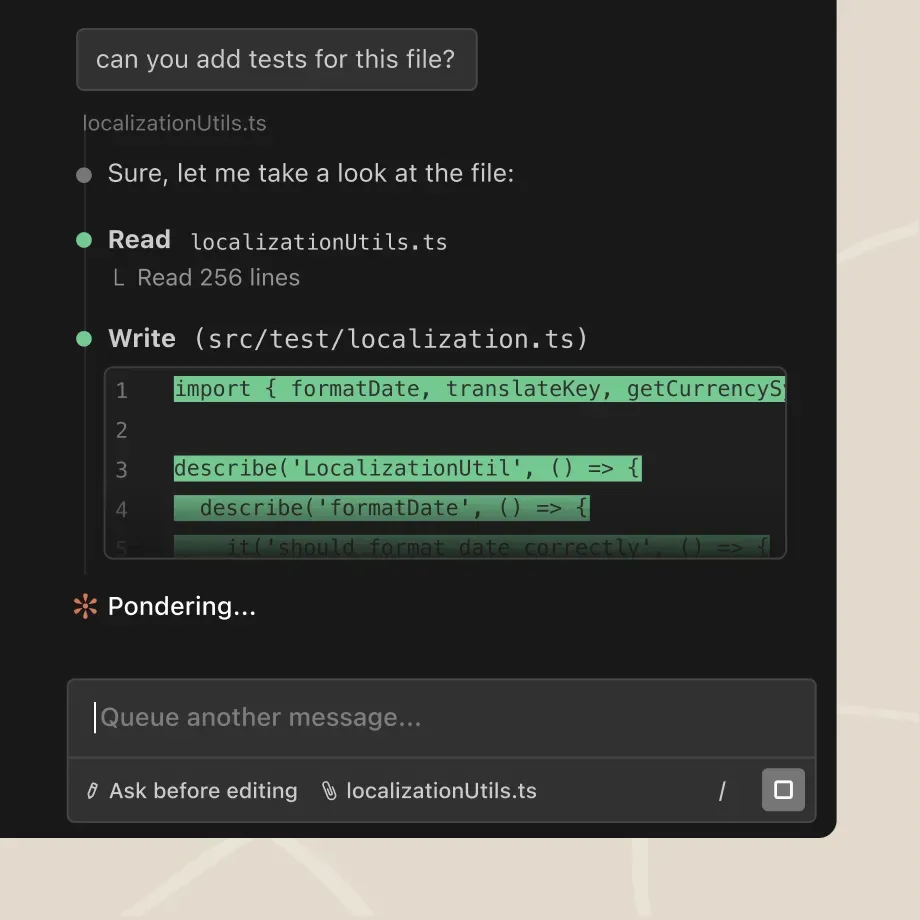
Start with Claude Code for closely supervised repository work, Codex for separate parallel tasks, Cursor when the editor is your review surface, and GitHub Copilot coding agent when an issue should become a pull request. These are workflow recommendations, not a measured code-quality ranking. An agent that fits your review process is a better starting point than the winner of an unrelated benchmark.
Already choosing between the first two? Use Claude Code vs Codex. This broader shortlist compares ten products across execution location, billing, model control, and the work a human must still own.
Choose the workflow before the subscription
| Your constraint | First shortlist | Decision that matters |
|---|---|---|
| Requirements change while you inspect code | Claude Code, Codex CLI | Can you interrupt, restrict edits, and inspect command output? |
| Several independent tickets need attention | Codex, Devin, Factory | Does each task have its own checkout, environment, and reviewable diff? |
| You navigate symbols and change code continuously | Cursor | Is editor integration worth moving your daily workspace? |
| Issues, CI, and reviews already live in GitHub | Copilot coding agent | Can the hosted environment reproduce your tests? |
| You want direct model/provider control | Aider, OpenCode, Pi | Who owns provider credentials, spending, and execution policy? |
| You want work to continue away from your machine | Amp, Devin, Codex cloud | Which runner executes the task, and how are compute and models billed? |
Price is a starting point, not a task budget
Public USD prices and billing descriptions checked 29 September 2026. Monthly prices below are not annual-plan equivalents. Taxes, API bills, cloud compute, and optional overages may be additional. None of these entry prices promises a fixed number of successful pull requests.
| Agent | Entry option | Limit or separate bill to inspect |
|---|---|---|
| Claude Code | Claude Pro $20/month; Max from $100/month | Claude and Code share subscription capacity; API billing is separate |
| OpenAI Codex | Limited free desktop access; Plus $20/month; API-key billing also available | Plan/model/task-dependent limits; consult current plan entitlements rather than assuming unlimited use |
| Cursor | Hobby free; Pro $20/month; Teams $40/user/month | Included model usage can run out; on-demand usage is billed separately |
| Copilot coding agent | Pro $10/month | AI Credits plus applicable GitHub Actions usage; Free does not include cloud-agent delegation |
| Devin | Free limited trial usage; Pro $20/month | Daily/weekly quotas and optional on-demand credits; individual plans cannot be shared |
| Factory Droids | Pro $20/month; Plus $100; Max $200 | Rolling rate limits; managed Droid Computers listed from Plus |
| Aider | Open-source client | Hosted model API bill or local inference resources |
| OpenCode | Open-source client | Connected provider or optional hosted-service charges |
| Amp | Hobby free; Megawatt $20/month | Runner/orb time is distinct from model subscriptions or API keys |
| Pi | MIT-licensed harness | Model-provider costs and infrastructure you operate |
Cursor's page does not promise a universal prompt allowance. Factory describes higher tiers relative to Pro, not a guaranteed number of completed tasks. Amp's Megawatt lists 45,000 orb minutes, while Hobby permits your own runners; its statement of no Amp token fees does not make upstream inference free. Compare the whole bill at your likely concurrency.
Claude Code: supervised repository changes
Claude Code is a strong starting point when you want to inspect, plan, edit, and run tests in a repository while steering the agent. Terminal and IDE interfaces let you keep the existing development environment. Project instructions, hooks, and permissions help express the workflow, but instructions are not enforcement by themselves.
Choose it when your team can review commands and diffs as the task evolves. Check the permission mode before work starts and confirm whether authentication uses a Claude subscription or separately billed API access. A long session competing with everyday Claude use can hit shared limits. The pairwise comparison explains the trade-off against Codex's task and worktree workflow.
Codex: separate tasks with explicit review boundaries
Codex fits work that divides into independent changes. Its app supports worktrees so a task can edit an isolated checkout; cloud work needs its own configured execution environment. A local task and a cloud task should not be assumed to have identical installed dependencies or credentials.
Choose it when the gain comes from managing several bounded tasks and reviewing their diffs. Assign overlapping files sequentially, and check the starting branch before accepting changes. A worktree isolates Git state; it does not itself restrict network access or credentials. Subscription limits still apply across active work, and API billing is a different purchase path.
Cursor: an editor-centered development loop
Cursor belongs first when code navigation, inline edits, diagnostics, and agent work should stay in one editor. Its current paid plans also include cloud agents. The distinction is where you want to supervise work, not whether the product can run in the background.
Pro is $20/month and Teams is $40/user/month. Both include a finite amount of model usage; optional on-demand billing continues beyond it. Cursor states that enabled Privacy Mode prevents training on code data by Cursor and its model providers. Confirm team policy and plan controls instead of assuming every installation has identical settings.
Copilot: the GitHub issue-to-PR path
GitHub Copilot coding agent fits a queue of scoped issues whose output belongs in GitHub review. The cloud agent works in a GitHub Actions environment and can produce a pull request, giving reviewers a familiar place to inspect changes and checks.
Pro starts at $10/month; the current plan table includes cloud-agent delegation on paid individual plans and excludes it from Free. Agent features consume AI Credits, with applicable Actions usage a separate consideration. Before assigning a ticket, verify that the environment can install dependencies and run the relevant checks. Use the issue-to-PR workflow to define acceptance criteria and merge ownership.
Devin and Factory: managed execution needs a bounded brief
Devin is a candidate when you want work carried out in a managed environment. Its Pro plan is $20/month, with daily and weekly quotas shared across supported Devin surfaces and optional extra usage. The Free tier offers limited usage; it is not evidence that a large migration will fit. Prefer a task with a reproducible failure, named files, and a testable stopping point.
Factory now publishes individual pricing: $20 Pro, $100 Plus, and $200 Max. Pro lists desktop, CLI, SDK, and background agents; Plus explicitly adds Factory-managed Droid Computers. Teams is listed at $60/month per team plus $40/month per seat, up to ten seats. Larger governance plans are separate. Choose based on the execution and administration you need, then measure review effort before expanding autonomy.
Aider, OpenCode, and Pi: three different kinds of control
Aider suits developers who want a Git-oriented terminal pair programmer. Its documentation covers repository maps, automatic commits, linting, and tests. A model provider supplies inference; the client does not remove that cost. It is a sensible shortlist candidate when reversible edits matter more than a hosted task dashboard.
OpenCode combines provider choice with terminal, desktop, and IDE surfaces. Its permissions documentation matters: most operations default to allow, with external-directory prompts; V1 denies common .env reads, while the V2 policy asks for approval. Configure the policy your team needs before treating an open-source client as a restricted environment.
Pi fits developers willing to assemble their own workflow. It supports multiple providers, mid-session model switching, extensions, and terminal/RPC/SDK operation. The current site explicitly omits built-in permission popups, subagents, and plan mode; extensions or external isolation are your responsibility. Pick it for control over the harness, not for turnkey governance.
Amp: inspect both runner and model economics
Amp now describes orbs: machines created for threads so work can continue after a laptop closes. Its CLI can also run on your own machine. This puts execution choice alongside model routing as a reason to evaluate it.
The current pricing page permits external subscriptions and API keys. Hobby has no monthly charge with paid orbs or your own runners; Megawatt is $20/month with included orb time. Do not read the subscription price as unlimited model inference. Review runner size, time, model access, and workspace sharing as separate decisions.
What community reports can establish
In a Hacker News discussion, jsumrall described switching models inside Pi without changing the harness. chriswarbo described customizing its tools to work with Emacs buffers and an issue tracker. These are attributed reports about workflow preferences, from an earlier product version, not evidence that Pi produces better code today.
Our interpretation is to test portability and review friction explicitly. A tool's extension surface may matter more to a specialist than a bundled interface; for a team, the same flexibility can add configuration work. We have not run a controlled ten-agent benchmark and do not claim measured accuracy, time savings, or production outcomes.
A small evaluation that answers the buying question
Give two finalists the same clean starting commit and a single failing test or bounded feature. Specify acceptance tests, permitted files, forbidden side effects, and the budget. Keep credentials and merge permission scoped to the task.
Record whether each candidate reproduced the failure, changed unrelated files, ran the right checks, and left enough evidence for review. Count your correction and review time alongside subscription, model, and runner costs. Stop a run that repeatedly changes direction without new evidence.
For review-only work, use AI pull-request review rather than granting edit permissions by default. For asynchronous changes, follow issue-to-PR delegation. Those implementation guides serve a different job from this buying shortlist.
For a terminal-only shortlist, compare CLI coding agents by permission defaults, provider costs and Git recovery. For implementation, use behavior-preserving legacy refactoring or AI-generated unit tests. The Aider vs OpenCode comparison resolves the Git-first versus configurable-agent decision.
For named-product decisions, compare Cursor vs Claude Code, Devin vs GitHub Copilot cloud agent, or Amp vs Pi. Use the issue-to-PR guide to turn the choice into a reviewable delivery process.
Apply the agent to a specific engineering job
Use the PR-review procedure to validate a proposed change, debug CI failures to explain a failing runner, or plan a dependency migration to change a compatibility contract. Before either, map an unfamiliar codebase; preserve verified knowledge with repository-derived technical documentation.
Additional fits and product-status checks
Devin Desktop, formerly Windsurf, adds an IDE-centered surface for supervising local and cloud agents; distinguish that editor decision from buying Devin cloud execution. Cline fits developers who want to keep their editor and configure model providers and approvals. Sourcegraph Cody is an enterprise retrieval-and-editing option; its former individual plans have ended.
Continue belongs in a separate keep-or-migrate decision: its upstream repository is read-only and no longer maintained after the company joined Cursor. It is not an active recommendation for a new team rollout. These status-specific profiles were verified October 4; they do not change the September 29 price-check date of the original shortlist above.
Roo Code also requires a migration decision: its extension shut down and the upstream repository is archived. Preserve useful mode and approval settings when evaluating a maintained replacement; the Roomote website redirect leads to a different cloud product.
Augment Code is a retrieval-centered option spanning IDE, terminal, MCP and Cosmos execution. Compare its pooled dollar allowance and hosted indexing boundary before choosing it for a large repository.
Gemini CLI now needs an authentication-specific decision: consumer Google-account access ended June18,2026, while organizational Code Assist and API-key routes remain. Its profile reconciles conflicting first-party copy before comparing policies, sandboxing and usage costs.
Qodo specializes in PR review and organizational standards. Evaluate provider-specific review features, pooled credits and the applicable data terms when governance matters more than generating code.
Sources & further reading
- Claude Code overview
- Claude pricing
- Codex pricing and limits
- Codex app worktrees
- Cursor plans and usage
- Copilot plans
- Copilot cloud agent
- Devin pricing
- Devin usage mechanics
- Factory pricing
- Aider documentation
- Aider source and license
- OpenCode overview
- OpenCode permissions
- Amp documentation
- Amp pricing
- Pi interfaces and limitations
- Hacker News discussion of Pi and model portability









Ordered for comparison, not as a universal ranking. Inclusion requires a direct fit with this page's stated workflow.