
Tool
Claude Code
Choose Claude Code for terminal-first repository work with project instructions and permission rules. Compare pricing, shared limits, privacy, and trade-offs.
Verdict
Claude Code is a recommended choice for experienced developers who want an agent inside an existing terminal, Git, and test loop. Its value comes from repository-wide context, command execution, project instructions, hooks, and configurable permissions. Choose it when you will define boundaries and review diffs. Prefer an agentic IDE when visual navigation drives the workflow, or a managed issue-to-PR service when unattended backlog delegation is the main job.
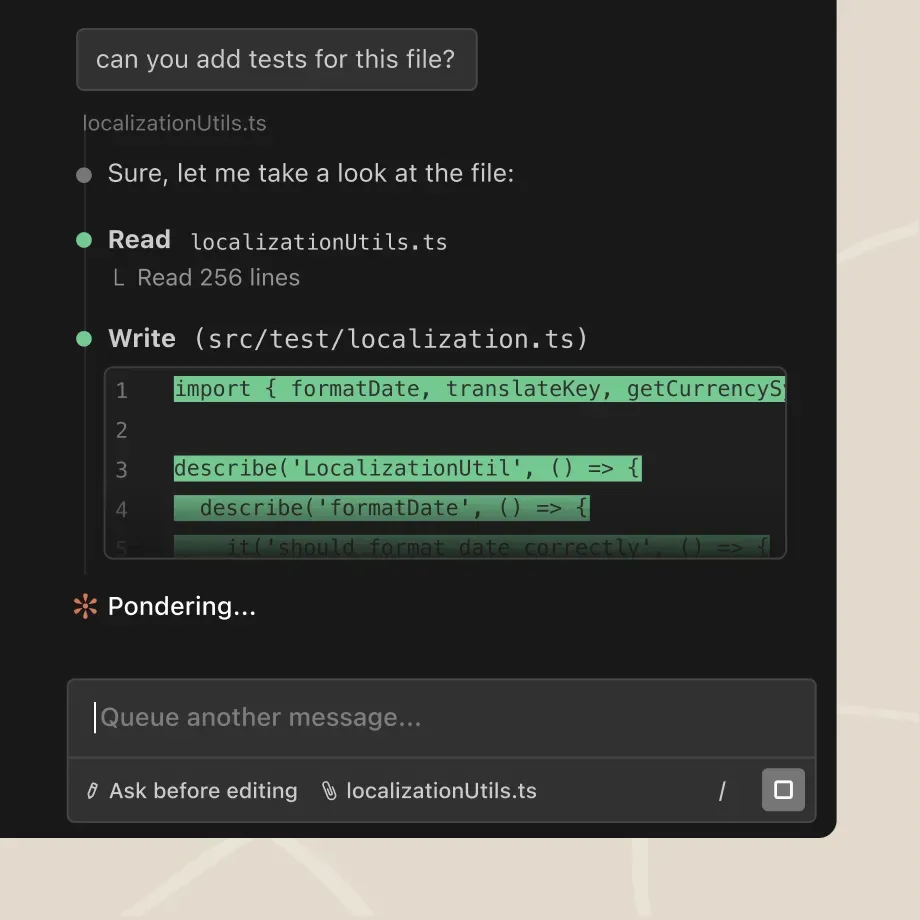
Claude Code is Anthropic's agentic coding tool for reading a codebase, editing files, running commands, and connecting to development tools. The CLI is its clearest differentiator, but the product also spans VS Code, JetBrains, desktop, web, mobile access to remote sessions, and CI workflows.
This profile evaluates the decisions that matter for a repository agent: control surface, project policy, execution permissions, verification, usage, and code-data handling. Compare the broader field in the best AI coding agents, or use Claude Code vs. Codex for the closest head-to-head choice.
Decision snapshot
| Question | Current answer |
|---|---|
| Best for | Deep, interactive repository work from a terminal or editor |
| Core loop | Inspect, plan, edit, run commands, test, review the diff |
| Project control | CLAUDE.md or AGENTS.md, settings, skills, hooks, MCP, subagents |
| Permissions | Manual approvals, allow/ask/deny rules, Plan, Accept Edits, Auto, isolated bypass modes |
| Local platforms | CLI on macOS, Linux, and Windows; desktop on macOS and Windows, with Linux beta |
| Other surfaces | VS Code, Cursor, JetBrains, web, iOS/Android access, GitHub Actions, GitLab CI/CD |
| Starting individual price | Pro: $20 month-to-month or $17/month billed annually |
| Usage limit | Shared rolling five-hour window plus weekly limits; no fixed message count |
| Main trade-off | Execution power creates permission, review, and budget work |
When Claude Code fits
You already work through terminal, Git, and tests
Claude Code can search a repository, edit across files, run project checks, create commits, and open pull requests without requiring a new editor. The CLI also fits SSH, tmux, and scripted non-interactive runs. Its VS Code extension adds inline diffs, file mentions, editable plan review, and conversation history; JetBrains provides selection context and interactive diff viewing.
Repository policy needs more than one prompt
CLAUDE.md records project instructions, and Anthropic's current docs say Claude Code can also read AGENTS.md. Skills package repeatable workflows, hooks run deterministic checks around tool calls, and MCP connects external systems.
These layers have different jobs. Instructions shape what the model attempts. Permission rules decide what tools may run. Hooks can block or verify actions. CI independently decides whether a change passes.
You need explicit execution controls
In Manual mode, Claude Code starts with read access inside the working directory and asks before file changes and most commands. Rules can allow, ask, or deny specific tools, commands, paths, domains, and MCP actions. Plan mode explores without source edits. Accept Edits permits file changes with fewer prompts. Auto mode uses a separate classifier and can be disabled by an organization.
Anthropic also documents Bash sandboxing with filesystem and network isolation. bypassPermissions is intended for isolated containers or VMs. Permission convenience does not replace OS isolation, least-privilege credentials, branch protection, or human review.
Interactive work matters more than a ticket queue
Subagents and multiple sessions can split bounded work. GitHub Actions and GitLab CI/CD integrations support review and issue triage. Claude Code can participate in an issue-to-PR workflow, but teams should still evaluate environment provisioning, secret access, overlapping diffs, and stop controls. For reviewer gates, use the AI pull-request review workflow.
Pricing and limits
Claude Code is included in paid Claude plans. Pricing verified September 29, 2026:
- Pro costs $20 month-to-month or $17 per month with $200 annual prepayment.
- Max starts at $100 per month, with 5x or 20x Pro usage.
- Team Standard costs $20 per seat monthly when billed annually or $25 monthly; Premium is $100 annually or $125 monthly.
- Enterprise lists a $20-per-seat monthly charge billed annually, plus usage at API rates.
- Console, Amazon Bedrock, Google Vertex AI, and Microsoft Foundry accounts use token-based pay-as-you-go billing.
Subscription limits are not fixed prompt counts. Activity across Claude web, desktop, mobile, and Claude Code shares a rolling five-hour allowance, while paid plans also have weekly limits. Model, context length, repository size, tool output, and parallel work affect consumption. Paid users can enable extra usage credits at API rates.
Privacy and data handling
| Account path | Training policy | Standard retention |
|---|---|---|
| Free, Pro, or Max | Data may be used for model improvement when the account setting is on | Five years when enabled; 30 days when disabled |
| Team, Enterprise, API, or third-party cloud | Anthropic says code and prompts are not used for generative-model training by default under commercial terms | 30 days |
| Qualified Enterprise organization | Same commercial policy | Zero data retention may be enabled after eligibility review; it is not automatic |
Local clients also store session transcripts in plaintext under ~/.claude/projects/ for 30 days by default; cleanup is configurable. “Runs in the terminal” does not mean code remains entirely local: relevant context goes to the configured model endpoint. For sensitive repositories, verify account type, model-improvement setting, retention, provider, MCP servers, telemetry, local transcripts, and feedback collection.
Strengths and limitations
Claude Code is strongest on bounded tasks that require a loop: trace a bug, plan, edit several files, run a focused test, inspect the failure, and correct it. Instructions, skills, hooks, MCP, and subagents make repeatable workflows possible without replacing Git and CI.
The same flexibility adds overhead. Long sessions can hit shared plan limits, and verbose tool results, MCP schemas, or parallel agents consume context. Broad allowlists increase blast radius; repeated prompts create approval fatigue. A workable setup allows narrow read-only commands and routine checks, denies secrets and protected operations, and keeps destructive, network, deployment, and credentialed actions behind explicit gates.
Terminal output is also a weaker review surface than a full editor diff. The VS Code, JetBrains, and desktop interfaces help, but developers who navigate primarily through symbols and visual diffs may prefer an agentic IDE. Teams focused on asynchronous ticket assignment should compare managed coding agents rather than buying Claude Code for its CLI strengths.
What users report
Community reports illustrate workflow preferences, not comparative quality. In a verified r/ClaudeCode discussion, u/joshman1204 described moving from the extension to the CLI and then to tmux on a dedicated Linux server. u/zigs preferred the terminal for window management but linked it to an IDE for richer diff review.
In a separate hooks discussion, u/ReturnSignificant926 described branch, secret, checkpoint, and verification hooks; u/Aals_aakun reported requiring explanation and approval before test-file edits. These individual setups show the governance work users add around the agent. They are not benchmarks or evidence of typical outcomes.
How to evaluate it
Run one medium-sized bug in a clean worktree. Provide failing behavior, scope, project instructions, acceptance criteria, and exact checks. Start in Manual or Plan mode. Verify that Claude Code identifies the cause before editing, requests only necessary permissions, proves the test failed before the fix, and produces a focused diff.
Review tests, dependencies, generated files, error handling, and credential use. Measure human rewrite, review time, and plan consumption. Keep approval and merge behind an independent gate.
Who should choose it
Choose Claude Code when terminal-native repository work, configurable controls, and reusable engineering workflows matter most. It rewards clear build commands, tests, Git discipline, and permission boundaries; weak foundations become agent failure modes.
For the other finalist's full product details, see OpenAI Codex.
For terminal policy and scripting choices, use the CLI coding-agent shortlist. For bounded implementation, follow legacy-code refactoring or unit-test generation and maintenance.
Compare Cursor vs Claude Code before choosing the workflow for your next repository task.
Cline is another provider-configurable option; compare its IDE approval categories, CLI defaults, and separate inference bill before switching.
For hosted repository retrieval as a separate buying decision, compare Augment Code. Its Context Engine can support other agents through MCP; evaluate indexing scope, usage charges and data handling independently of the editing client.
For a Google-model terminal workflow, see Gemini CLI. Check the surviving API-key or organizational access route, explicit sandbox configuration and tool policies before comparing its output with this workflow.
Sources & further reading
- Claude Code product page
- Claude Code overview and supported surfaces
- Claude Code for VS Code
- Claude pricing and plan limits
- Claude Code models, usage, and limits
- Claude Code permissions
- Claude Code security
- Claude Code data usage and retention
- Reddit discussion on terminal and IDE workflows
- Reddit discussion on enforcing repository policy with hooks


Appears in