Best tools
Best CLI AI Coding Agents for Terminal Work (2026)
Compare Claude Code, Codex CLI, Aider, OpenCode and Pi on permission defaults, Git recovery, provider costs and scripting before choosing a terminal agent.
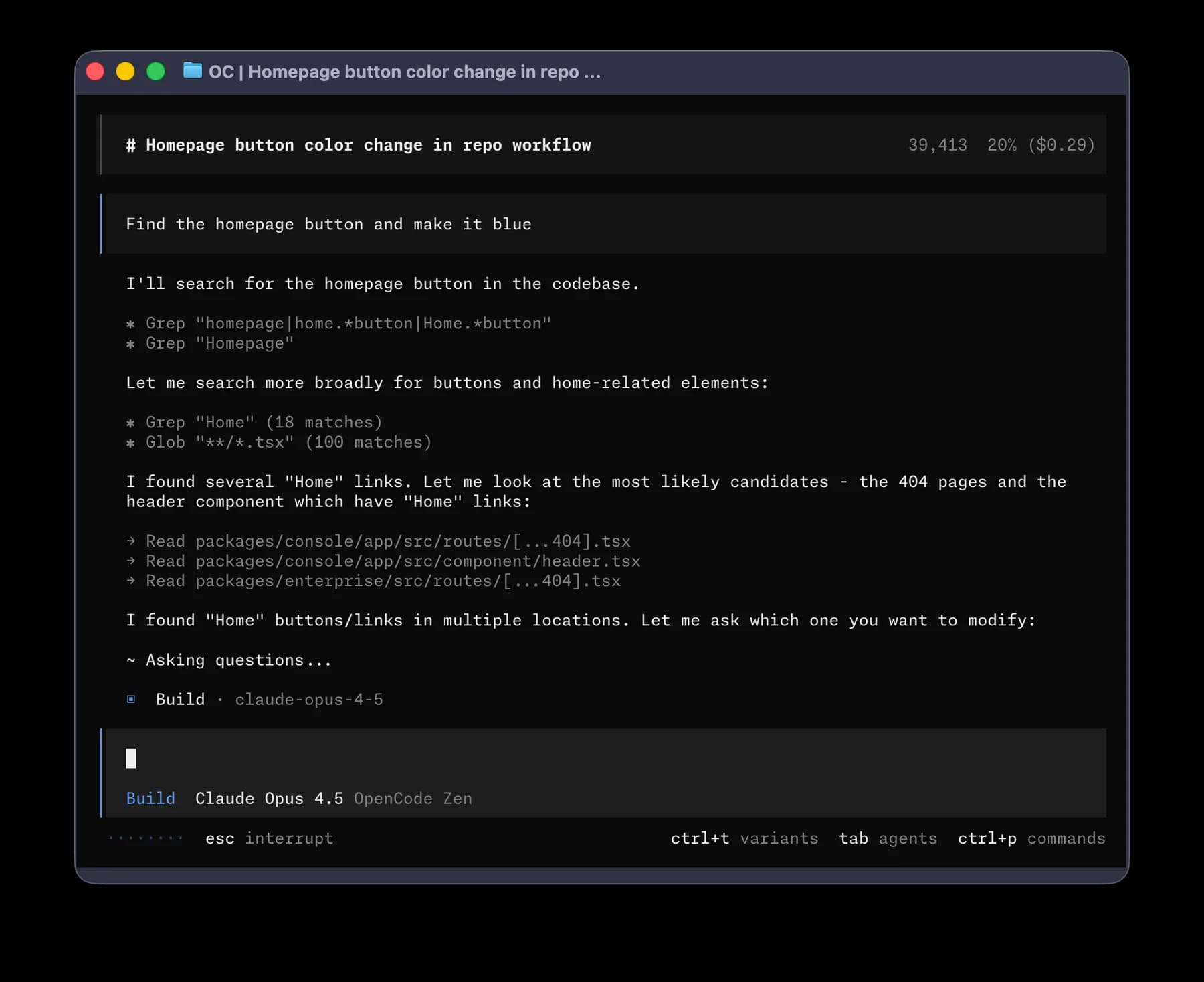
Start with Claude Code for a configurable supervised shell workflow, Codex CLI for sandboxed repository work and dedicated review, Aider for explicit files and Git checkpoints, OpenCode for configurable agents across providers, or Pi when you want to build the harness around your own tools. These are workflow judgments from documentation, not a code-quality benchmark.
This guide assumes you already want a terminal. If you are still choosing between an editor, local shell and hosted issue runner, start with best AI coding agents. Here the buying question is narrower: which execution policy, recovery model and automation interface fits your shell workflow?
Match the terminal contract to the job
| Tool | Reason to shortlist | Control to inspect first | Scripted interface |
|---|---|---|---|
| Claude Code | Detailed tool policies plus interactive steering | Permission mode, allow/ask/deny rules, shell sandbox configuration | Print mode, JSON or streamed JSON, turn and API-budget caps |
| Codex CLI | Local repository execution plus dedicated diff review | Active sandbox, approval policy, writable roots and network access | Non-interactive execution; verify the installed CLI's configuration |
| Aider | Focused edits with automatic Git checkpoints | Added files, dirty-file commits and whether hooks actually run | One-message CLI execution, message files and dry-run |
| OpenCode | Multiple providers, agent-specific policies and session control | Most permissions default to allow; configure restrictions explicitly | opencode run, raw JSON events and session commands |
| Pi | An extensible core for a custom workflow | No built-in permission popups; supply your own controls and isolation | Print/JSON, RPC and SDK |
An approval prompt, a Git commit and an operating-system sandbox solve different problems. A prompt governs an action; Git lets you inspect or recover tracked edits; a sandbox restricts process access. None alone proves the generated patch is correct.
Price the client, inference and machine separately
Public terms checked 30 September 2026. USD monthly prices exclude taxes and optional usage. Model context, output length, retries and parallel sessions affect consumption; there is no defensible universal price per accepted patch.
| Tool | Client/access cost | Limit that changes the decision |
|---|---|---|
| Claude Code | Pro $20/month; Max starts at $100/month; separate API access available | Claude and Claude Code share plan capacity; subscription usage is not an unlimited API allowance |
| Codex CLI | Included with Plus at $20/month; API-key use billed separately | Local and cloud work share plan allowance; model/task-dependent and weekly limits can apply |
| Aider | Free open-source client | Hosted API charges or local model hardware; context and provider limits still apply |
| OpenCode | Free open-source client; connect your provider | Optional Zen is separately metered; inspect credits, reload and monthly spending controls |
| Pi | MIT-licensed client | Provider subscriptions/API charges and any infrastructure or extensions you operate |
For Aider, OpenCode and Pi, choose the actual provider and model before comparing costs. A consumer chat subscription is not automatically a supported third-party API credential. Confirm the documented authentication path rather than assuming one paid account funds every harness.
Choose Aider when recovery is part of every edit
Aider's documented workflow commits edits automatically and can checkpoint pre-existing dirty changes separately. That is useful when you want to inspect a small patch, keep it or undo it before continuing. Start from a clean branch so those checkpoints have a clear meaning.
One easily missed detail: Aider skips pre-commit hooks by default. Enable the documented --git-commit-verify option if those hooks are part of your process, and still run the acceptance checks. Automatic commits record a change; they do not certify it. The Aider vs OpenCode comparison goes deeper on file scope, agents and recovery.
Choose OpenCode when policies and providers need to vary
OpenCode supports permission rules that allow, ask or deny actions, including per-agent overrides. Check the major version: the V1 docs default most actions to allow, external-directory and repeated-call checks to ask, and common .env reads to deny. The V2 base policy also broadly allows actions, but .env reads ask instead; the example-file exception remains. V2 uses different configuration fields and actions. Neither version makes those targeted checks a blanket guarantee that secrets cannot be accessed.
Configure the policy before the first unfamiliar repository. For unattended use, inspect how your run handles permission requests; automatic approval changes the practical boundary. Use the CLI's JSON events when another program needs structured output, and retain the model/provider identity alongside the resulting patch.
Choose Claude Code or Codex for a supported local loop
Claude Code offers a detailed permission vocabulary and a print interface with JSON output, turn limits and an API-dollar cap. The dollar cap is documented for API calls in print mode; it is not a subscription quota meter. Inspect the effective settings and authentication before putting the command into automation.
Codex CLI exposes repository exploration, edits, command execution and a dedicated review flow. Its documented local sandbox defaults restrict writes to the active workspace and disable command network access; approval and configuration can change that boundary. Use /permissions to inspect the active policy. A local CLI task still needs the dependencies and credentials required by its tests.
If those are your finalists, use Claude Code vs Codex for their broader execution and account trade-offs.
Choose Pi when extension work is an advantage
Pi exposes terminal, print/JSON, RPC and SDK operation and supports model switching within a session. Its site explicitly omits built-in permission popups, subagents and plan mode; packages and extensions can add behavior. The right buyer wants to own those choices and maintain the integration.
In a Hacker News comment, jsumrall described switching models within Pi while keeping the same harness. chriswarbo described replacing file operations with Emacs-buffer tools. These earlier-version user reports illustrate portability and integration preferences, not current reliability or measured productivity. Our inference: custom integration can justify a minimal harness when someone owns its maintenance.
Evaluate one terminal workflow before standardizing
Use the same starting commit, requirement and checks for two finalists. Record client version, model, provider, active policy and billable usage. Require a diff plus actual command output; a prose claim that tests passed is insufficient evidence.
For a behavior-preserving change, follow refactoring legacy code with AI. For a stronger test suite, use generating and maintaining unit tests. Compare unwanted file changes, reproducibility, recovery effort and human review time. Stop when the agent changes acceptance criteria to make its own patch pass. The useful result is a terminal workflow you can review and repeat.
Sources & further reading
- Claude Code CLI reference
- Claude Code permissions
- Claude pricing
- Claude Code shared subscription limits
- Codex CLI
- Codex pricing
- Codex approvals and sandbox
- Aider Git integration
- Scripting Aider
- Aider usage and model choice
- OpenCode V1 permissions
- OpenCode V2 permissions
- OpenCode CLI and JSON events
- OpenCode optional Zen billing
- Pi interfaces and defaults
- Pi source and license
- jsumrall on changing models in Pi
- chriswarbo on integrating Pi into Emacs





Ordered for comparison, not as a universal ranking. Inclusion requires a direct fit with this page's stated workflow.