
Tool
Cursor
An agentic code editor that combines repository-aware chat, inline completion, planning, execution, and cloud agents.
TL;DR
- Best for agentic coding inside a visual editor.
- Combines tab completion, repository chat, planning, code changes, and cloud agents.
- Supports multiple model families and familiar VS Code conventions.
- Hobby is free; Pro starts at $20 per month.
- Usage accounting and model limits need attention on heavier plans.
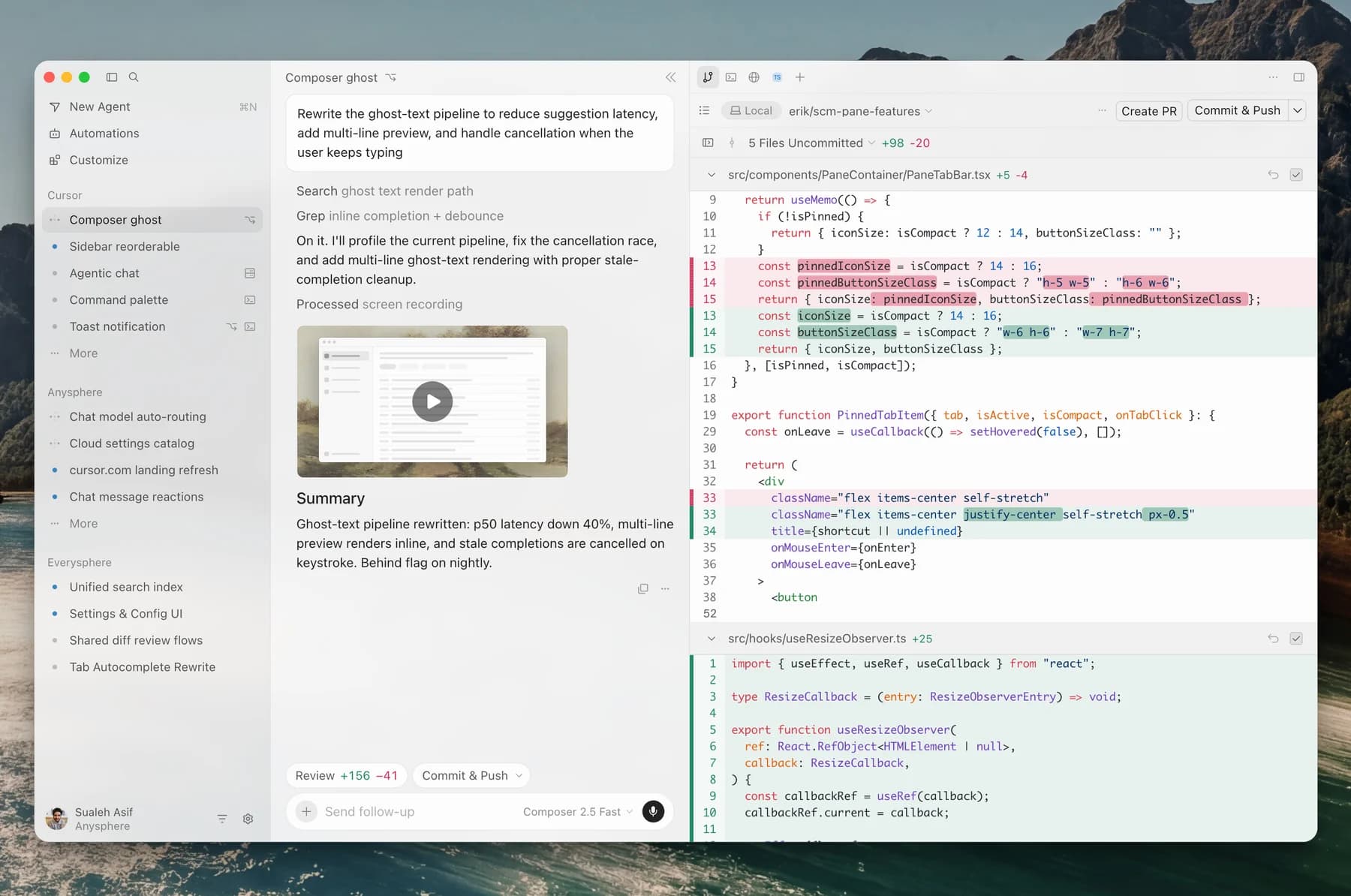
Cursor is a code editor built around AI-assisted and agentic development. It pairs fast inline completion with repository-aware agents that can plan changes, edit multiple files, run commands, and work in remote environments.
Decision snapshot
| Question | Answer |
|---|---|
| Primary interface | Desktop IDE |
| Best use | Daily coding, visual navigation, inline review, agent-assisted implementation |
| Model choice | Multiple first-party and third-party models |
| Starting paid price | $20 per month for Pro |
| Main trade-off | Value depends on usage limits and preferred models |
What Cursor does well
Cursor keeps agent work close to the code. File navigation, diffs, diagnostics, terminal output, and chat stay visible in one interface. That reduces context switching and makes partial corrections easier than in a fully delegated cloud workflow.
Its autocomplete remains a separate reason to use the product. Developers can use lightweight Tab suggestions for routine work and reserve the agent for broader changes.
Where it falls short
The editor bundles several pricing and usage concepts. Heavy use of premium models can make the effective limit harder to predict than the headline subscription price suggests. Teams already committed to another editor may also resist moving their full workflow into a forked IDE.
What users report
Reddit user u/blindgaming praised how Cursor organizes information and wrote, “I actually find it better to use than the CLI for codex or Claude.” The same discussion includes users who pay mainly for Tab and prefer separate CLI agents for pair programming.
Bottom line
Choose Cursor when you want the agent, diffs, terminal, and code navigation in one visual workspace. Choose a CLI agent when editor independence and composable automation are higher priorities.
Compare Cursor vs Claude Code before choosing the workflow for your next repository task.
Devin Desktop, the successor to Windsurf, is another IDE option when supervising multiple local and cloud agents is central to the workflow.
For hosted repository retrieval as a separate buying decision, compare Augment Code. Its Context Engine can support other agents through MCP; evaluate indexing scope, usage charges and data handling independently of the editing client.
Sources & further reading



Appears in