Use case
Build Reliable No-Code AI Workflows (2026)
Build a no-code AI workflow with validated outputs, safe retries, cost limits and an owner. Compare n8n and Make constraints before launching a pilot.
Verdict
Start with one trigger, one bounded AI decision and one reversible output. Use Make when a managed visual scenario fits the team's operating skills; use n8n when API flexibility or deployment control justifies a technical owner. Launch only after invalid outputs, duplicate events and ambiguous write results have explicit paths. A green execution badge is evidence the software ran, not that the business result was correct.
This guide covers the contract and release process for your first reliable workflow. It is a source-backed implementation recommendation, not a report of hands-on product testing. For platform selection, use the workflow automation shortlist and n8n vs Make. For a specific job, continue to document intake, support-ticket routing or human-approved execution.
Decide whether the workflow needs AI
Write the accepted result before opening a canvas. A useful pilot converts an unstructured request into a reviewable record; it does not promise to run an entire department.
| Decision | Practical starting point | Stop or redesign when |
|---|---|---|
| Uncertainty | Use AI for a bounded classification, extraction or draft | An exact filter or field mapping already solves the task |
| Input identity | Carry the source system, event ID and revision through every stage | The trigger cannot distinguish a duplicate from a new revision |
| Consequence | Start with a draft, queue assignment or reversible annotation | A model can choose arbitrary recipients, permissions or financial actions |
| Evidence | Save source references alongside each proposed field | A reviewer cannot trace the output to the input |
| Operations | Name an owner, maximum cost and recovery deadline | Nobody can inspect a failed run or disable the trigger |
A compact launch contract might say: “For each new request revision, produce one validated draft record, preserve the original reference, and send unresolved cases to an owner.” Specify which destination fields may change and which remain human-owned. These are design choices to implement, not built-in guarantees of either platform.
Pick a canvas with an affordable failure path
Prices and limits below were checked October 15, 2026; Make paid prices were rechecked October 16. Currency and billing units differ; the table is not a cheapest-tool ranking.
| Platform | Verified starting point | Constraint that changes this pilot |
|---|---|---|
| n8n Cloud Starter | €20/month billed annually; 2,500 production executions; five concurrent executions | Count trigger behavior, not node count. Quota exhaustion fails new attempts instead of retaining a backlog |
| n8n Community Edition | Free self-hosted edition; hosting, model usage and operations remain your responsibility | Projects, workflow/credential sharing, Git version control and SSO are excluded; free software does not supply a team deployment process |
| Make | Free includes 1,000 credits/month; Core starts at $12/month equivalent billed annually for 10,000 credits | A scenario can consume many credits. AI usage, repeated bundles and recovery need their own budget |
Sources: n8n pricing, edition boundaries, Cloud quota FAQ and Make pricing. Choose self-hosted automation only when somebody owns upgrades, secrets, backups and restoration.
Make distinguishes operation-based credits from AI token charges. With a custom AI connection, pay Make for operations and the model provider separately; built-in AI can consume credits for both operations and tokens. n8n's execution documentation says scheduled runs count regardless of outcome, while its Cloud FAQ says failed runs do not count. That first-party discrepancy remains unresolved: budget recovery conservatively and confirm your plan's meter before promising free retries. Make credits, n8n execution rules.
Separate extraction from permission to act
Normalize inputs before the AI step. Pass only fields needed for the task, identify untrusted message content as data, and keep destination IDs outside model control. Request a small result with an allowed category, evidence references and an explicit missing-information state.
Then validate two different things:
- Shape: required fields, types, enums and length limits match the contract.
- Meaning: referenced records exist, values agree with the source, and the requested transition is allowed.
A valid JSON object can contain a wrong account ID. A model's self-reported confidence is not a calibrated probability and cannot authorize a write by itself. Send disagreement and missing evidence to a review queue.
n8n's Structured Output Parser accepts JSON Schema, but schemas generated from an example make every field required and $ref is unsupported. Its sub-node expressions resolve against the first input item. Include a multi-item fixture so fields from one request cannot silently appear in another. Shape enforcement still needs business validation.
Design duplicate handling before adding retries
Use an event key containing source, event ID and the business revision. Keep the proposed result, action status and destination record ID in durable storage. A plain “search, then create” sequence can race when two runs arrive together.
Prefer a destination API's idempotency key or a datastore uniqueness constraint with an atomic claim. If the connector offers neither, serialize that action and retain a reconciliation path; do not describe the result as exactly-once delivery. A timeout after a remote service accepts a write is an unknown outcome, not proof of failure. Query the destination before retrying.
Keep transformation and side-effect stages separate. Replaying a notification should not repeat an accepted CRM update. The human-approval guide adds payload revisions and review decisions to this pattern.
For Make, incomplete executions are disabled by default. Enable storage and decide whether failed runs need automatic retry or manual resolution. Review the separate storage-full setting: allowing discarded data keeps the scenario running but loses that failed input. Confidential-data mode removes payloads from execution logs and reduces troubleshooting options. Preserve a minimal, access-controlled recovery record outside general logs where required. Scenario settings.
Test transitions, not just pleasant inputs
Build a small sanitized fixture set with named expected outcomes. Include missing fields, contradictory evidence, duplicate events, a changed revision, unsupported content, embedded instructions, expired credentials, a rate limit and a destination timeout after acceptance. Reserve some examples for evaluation after prompt edits rather than tuning against every case.
For each fixture, inspect the destination record and emitted notifications as well as the run status. Make's agent build guide documents using an earlier run as test input. Replace write modules or point them at a sandbox before replaying; input reuse does not make side effects harmless.
A dated community example shows why version upgrades belong in the test plan: andreiradu2102 reported on July 21, 2026 that n8n 2.27.5 displayed approval but failed to return the protected Calculator result in a self-hosted Chat/Ollama flow. The forum follow-up points to 2.34.0, but the linked PR’s post-merge review corrects that attribution: the actual fix was already released in 2.32.0 through PR #34271. This is a scoped historical regression, not evidence of a current universal defect or a failure rate. The useful acceptance test is “approved action produced the expected result,” not merely “approval appeared.” Report and follow-up.
Release with a budget and a rollback owner
Record workflow version, source key, model, validation result, action revision, final destination ID and recovery state. Keep raw private content out of broad logs. Check the actual model provider's processing region: a Make organization region does not automatically determine every AI feature's region. Make AI processing locations.
Define cost per accepted outcome as platform charges, model/API usage and review effort divided by accepted results. Also track unresolved queue age, corrections after review and duplicate actions. These are metrics to collect during the pilot, not results measured for this article.
Release a limited slice only when a second operator can disable it, find a failed item, reconcile an ambiguous write and restore the previous configuration. Expand after those controls work on your real inputs. A narrower workflow with a visible exception queue is a better first release than an agent with access to every business action.
Related comparisons
- Gumloop vs Lindy: configurable agents or delegated teammates
- Bardeen vs Zapier: browser collection or cloud orchestration
Related workflow guides
For platform evaluation, review Parabola/Prowork for finance and operations data flows, Tray.ai for enterprise integration and governed agent access.
Sources & further reading
- n8n plans and current execution limits
- n8n execution billing rules
- n8n Cloud quota behavior and failed-run FAQ
- n8n Community Edition boundaries
- n8n Structured Output Parser
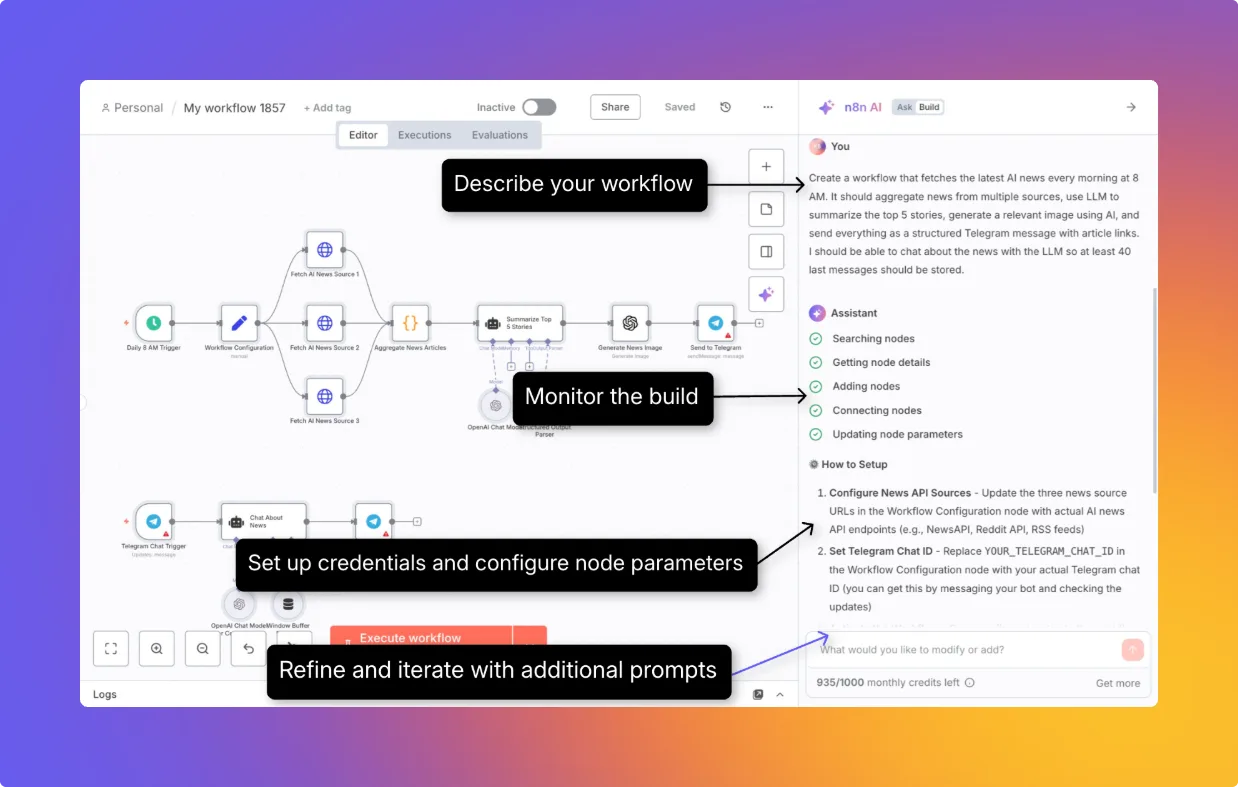
- n8n AI Workflow Builder interface
- Make pricing and usage allowances
- Make credit and AI provider billing
- Make incomplete execution configuration
- Make scenario settings and retained data
- Make AI-agent testing with existing data
- Make AI provider processing regions
- n8n community approval regression report and later release follow-up
- n8n post-merge correction to the Human Review fix attribution
- n8n actual Human Review tool fix
- n8n 2.32.0 release with the Human Review fix


Ordered for comparison, not as a universal ranking. Inclusion requires a direct fit with this page's stated workflow.