Comparison
Bardeen vs Zapier (2026)
Choose Bardeen for browser-native scraping and web actions; choose Zapier for broad cloud app automation, controls, approvals, and run history.
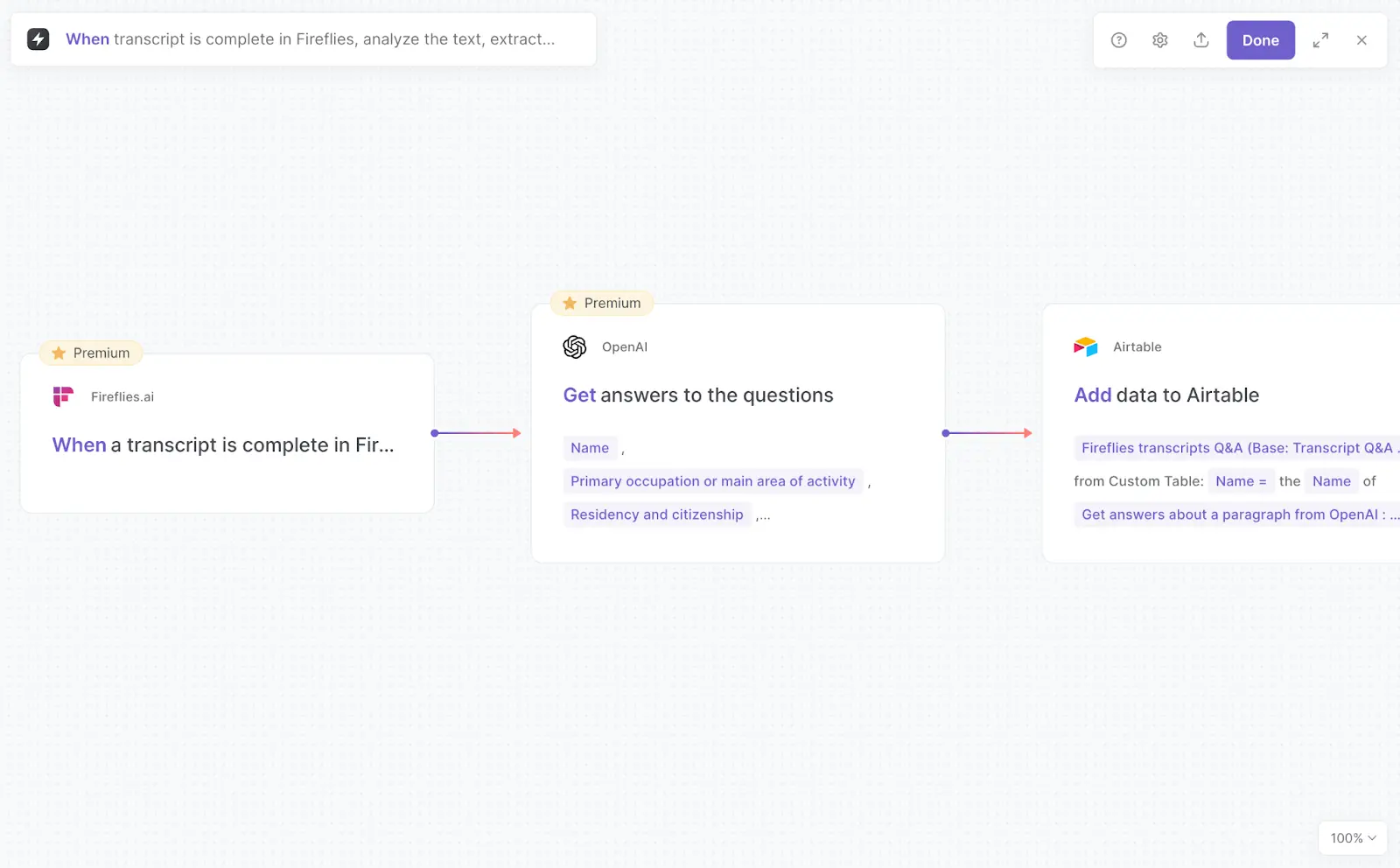
Verdict: Choose Bardeen when the job begins inside a browser tab: scrape a logged-in page, collect rows from a site without a useful API, enrich them, then push the result into a GTM system. Choose Zapier when the job begins with an app trigger and needs broad cloud execution, shared connections, approvals, retries, and a durable cross-app run history.
Zapier is the safer default for a company-wide automation platform. Bardeen is the more direct choice for browser-native research and repetitive web work. Buying Zapier does not give a Zap the same access to the page and authenticated browser session that Bardeen's extension uses.
This is a documentation-based comparison checked on October 16, 2026. We did not run a controlled reliability, scraping-accuracy, performance, or usability test. Vendor screenshots illustrate documented interfaces; they are not evidence that either workflow completed successfully.
Bardeen vs Zapier decision matrix
| Decision | Bardeen | Zapier |
|---|---|---|
| Best fit | Browser research, scraping, enrichment, repetitive clicks, and GTM list work | Cloud workflows across SaaS apps, APIs, forms, tables, and governed teams |
| Where execution starts | Current page, manual Playbook, scheduled/event Autobook, or supported Always-On trigger | App event, schedule, webhook, form, table, browser push, or another cloud trigger |
| Browser boundary | Extension can use the active tab, manipulate tabs, scrape pages, and run locally with browser-held context | Standard Chrome extension sends page title, URL, timestamp, and user-entered fields; Web Reader fetches public pages but cannot access logins or paywalls |
| Cloud boundary | Local is the default described model; paid cloud runs are available for selected automations and Autobooks | Zaps run in Zapier's cloud through reusable app connections |
| Entry pricing shown | Basic: $10/month, adding 100 credits/month; Premium: $50/month for 1,000 credits, or $480/year for 12,000 | Free: 100 tasks/month; Professional starts at $19.99/month on the page's yearly-billing view; Team starts at $69/month |
| Billing unit | Usually per output row: scraper, web search, and AI are 1 credit/row; enrichment is 3 credits/row | Standard connected-app step is listed at 1 task; built-in tools at 0; Lead Router and AI/model/tool calls can use multiples |
| Overage behavior | Reviewed pricing page does not publish an automatic overage rate; unused credits expire and larger bundles are selectable | Paid accounts can use pay-per-task billing at an account-specific rate up to 3× the plan allowance, then runs stop; it can be disabled |
| Credentials | Local app data is persisted in browser storage; OAuth integrations and cloud execution introduce server-side connection configuration | Each app connection links one app account; Team/Enterprise can share connections without exposing credentials |
| Approval | Manual Playbooks provide a human launch point; no current first-party native mid-run approval action was found in the reviewed Bardeen material | Paid Human in the Loop action can approve, decline, edit data, time out, or stop a run; AI tool approval is configured per tool and is off by default |
| Recovery | Results view exposes step status, errors, and credit breakdown; no current retry-count or checkpoint guarantee was found | Manual replay is available; Professional and higher can autoreplay errored steps up to five times on an increasing schedule |
| History/data limits | Full interactive Bardeen results are documented for 30 days; Test mode caps each action at five outputs | Zap history guarantees at most 60 days and displays up to 10,000 runs; replay also has a 60-day window |
Choose Bardeen when the website is the system
Bardeen's useful difference is not simply a smaller automation catalog. Its Chrome extension can operate in the page context: read an active tab, scrape a site, open or switch tabs, and use browser context that an API-first platform does not have. That makes it a better fit for prospect lists, research portals, directory pages, and internal web tools whose useful data or controls are not exposed through an integration.
The local-versus-cloud choice matters. Bardeen says its extension normally runs locally and persists connected-app data in browser storage. Its security page also describes paid cloud execution for Automations or Autobooks that need to run while the browser is closed. A cloud instance is created for a run and the vendor says run data is erased when the Playbook finishes, while connection configuration and custom automation definitions remain server-side so they can sync across browsers.
Do not assume every browser workflow can move to the cloud unchanged. Bardeen's own release notes distinguish most local workflows from Always-On cloud commands, and one release note says HTTP GET can use browser credentials only for locally running Playbooks and Autobooks. If a workflow depends on a logged-in page, current cookies, a browser-only control, or an anti-bot challenge, test the exact execution mode before scheduling it unattended.
Choose Zapier when the apps are the system
Zapier is much broader than a Zap builder. Current plans bundle Zap workflows, Tables, and Forms, with webhooks and premium apps on Professional, shared Zaps and app connections plus SAML SSO on Team, and deeper admin controls on Enterprise. Zapier currently advertises more than 9,000 app connections. That breadth matters when a workflow must survive staff changes and be operated by a team rather than one person's browser.
Zapier's app connections are reusable credentials for a single app account. Team and Enterprise users can share a connection without seeing its credentials, and a workflow pauses if its owner loses access to a required shared connection. This is cleaner for service accounts and ownership transfer than depending on one operator's browser session, but it only grants what the connected app and account expose through the integration.
Zapier does have browser tools, but their boundaries are narrower. The standard Chrome extension starts a Zap and passes the active page's title, URL, timestamp, and optional manual fields. Web Reader can fetch public pages, including JavaScript-heavy pages and PDFs up to 200 pages, but it respects robots.txt and cannot read pages behind logins or paywalls. Those tools do not make ordinary Zaps equivalent to Bardeen's logged-in page automation.
Pricing: rows and tasks are not interchangeable
Bardeen's live pricing page says everyone retains 100 free credits. Basic is displayed at $10 per month for an additional 100 credits per month. Premium is $50 per month for an additional 1,000 credits, or $480 per year for 12,000 credits. The same page says unused credits expire at the end of the billing period.
Its meter follows data production. Scraper, web-search, and AI actions are shown at one credit per output row; enrichment is three credits per row. Imports and utilities are free. Export wording is conditional: the rate table shows import/export as free or one credit per row, and the vendor's worked example charges four credits to export four qualified leads. That example starts with 10 search results and totals 64 credits after profile scraping, email validation, AI qualification, and export. Model the whole pipeline, not just the first scrape.
Zapier prices platform work in tasks. Its current rate card lists a standard connected-app step at one task, built-in Formatter, Paths, Filters, Delay, Looping, Sub-Zaps, Digest, Manager, Storage, Tables, and Forms steps at zero, and Lead Router at five. AI by Zapier is tiered: Standard or bring-your-own-model steps use one task, Advanced uses three, and Premium uses five; tool calls use the same tier multiplier. Extended Code runtime adds one task per 30 seconds beyond the plan allowance.
Zapier's current pages are not perfectly aligned. The rate card labels a standard trigger or action step as one task, while the task-usage help page and pricing FAQ say triggers do not count and only successful actions do. Use the live Billing and usage view to validate a representative workflow before committing volume.
On paid Zapier plans, pay-per-task billing is enabled by default for many newer accounts. The exact overage rate depends on plan and billing cycle and appears in account settings. Usage can continue until the combined plan and overage total reaches three times the plan allowance; after that, runs stop. Owners can disable overages so runs stop at the included limit instead.
Approvals and retries favor Zapier
Zapier now has two explicit approval layers. The paid Human in the Loop action can pause a deterministic Zap, send review by email or Slack, let a reviewer edit fields, and either stop or continue on decline or timeout. AI by Zapier can also require approval before an individual tool runs. That toggle is off by default, so sensitive create, update, send, and delete actions need deliberate configuration. Human in the Loop also has plan and layout limits: Pro reviewers can only be the account owner themselves, reviewers need Zapier accounts, and the action cannot sit within or after a Looping step.
For failures, Zapier can manually replay errored steps without rerunning earlier successful actions. Professional and higher plans can enable Autoreplay, which attempts the failed step up to five times over about 10 hours and 35 minutes. Full-run replay is different: it reruns successful steps too and bills them again. Neither mode guarantees idempotency after an ambiguous timeout, so payments, emails, and record creation still need deduplication keys or receipt checks.
Bardeen documents a results screen with action-by-action status, outputs, errors, and credit cost. Test mode is free and limits each action to five sample outputs. The indexed June 2025 help article says full interactive results persist for 30 days, with the credit breakdown retained afterward. Its original URL now redirects to general support, so confirm these older documented limits in the current extension. We did not find a current first-party Bardeen document promising automatic retries, checkpointed recovery, or a native mid-run approval action. Treat manual launch as an operator gate, not as approval before a later destructive step.
Zapier Agents is a separate, moving target
The existing Zapier Agents profile covers the legacy standalone agent product and its activity quota. It is supporting context, not the Zap subscription compared on this page.
Zapier announced on October 1, 2026 that it is migrating standalone Agents into AI by Zapier. A migrated agent becomes a Zap with a native trigger and one AI step containing its prompt, reasoning, and tools. Zapier says there is no shutdown date yet. The migrated workflow uses the platform's task billing, not the old standalone activity meter; tool approvals are per tool and off by default; one agentic run pauses at a 75-task guardrail by default, adjustable to 500.
This transition also has functional gaps. Chat-triggered agents do not yet have a direct equivalent trigger in the Zap editor, and some legacy knowledge sources remain unsupported or have tighter loading limits. If an Agents workflow is part of the buying decision, price and test the migrated AI-by-Zapier version rather than relying on the legacy add-on page.
What practitioners reported
In an April 17, 2026 G2 review, verified current user Rafael A. said Bardeen's premade Playbooks let them start automations quickly without much technical knowledge and saved time on clicks and data collection. The review was invited, incentivized, and translated using AI, so it is evidence of one user's perceived setup value, not an independent usability benchmark.
In a March 10, 2026 r/zapier post, u/Inner_Department3 said a JobTread-to-Google-Drive Zap worked well and used about 200 tasks monthly, but they disliked paying $29.99 per month for one two-step workflow. That is a useful reminder that low-volume, simple Zaps can be operationally successful while still feeling poor value. It does not establish current pricing for every account, annual billing, or more complex workloads.
Practical verdict
- Pick Bardeen for jobs that begin with the current page, especially scraping, prospect research, enrichment, and one-click browser routines.
- Pick Zapier for durable cloud workflows across many supported apps, especially when shared credentials, SSO, approvals, replay, and centralized history matter.
- Use both when browser collection is unavoidable but downstream operations need stronger governance: Bardeen can collect and qualify rows, then a controlled Zap can process approved records. Validate duplicate handling at the handoff.
See the broader AI workflow automation tools guide. The no-code AI workflow guide covers trigger, schema, and fallback design; the human-approved AI automation guide covers review gates; and the sales prospecting workflow applies these boundaries to lead research.
Sources & further reading
- Bardeen pricing
- Bardeen security and execution model
- Bardeen release notes
- Bardeen results screen and retention
- Zapier pricing
- Zapier task usage rates
- Zapier pay-per-task billing
- Zapier app connections
- Zapier Chrome extension
- Zapier Web Reader limits
- Zapier Human in the Loop approval
- Zapier replay behavior
- Zapier Agents migration
- Bardeen verified-user review
- Zapier practitioner discussion

Ordered for comparison, not as a universal ranking. Inclusion requires a direct fit with this page's stated workflow.