Comparison
Workato vs Microsoft Power Automate (2026)
Choose Workato for cross-enterprise orchestration and hybrid integration; choose Power Automate for Microsoft-first workflows and Windows RPA.
Verdict: Choose Workato when the automation program must orchestrate ERP, CRM, HR, finance, APIs, events, and private-network systems under one enterprise operating model. Choose Microsoft Power Automate when Microsoft 365, Dynamics, Dataverse, Teams, SharePoint, and Windows desktop automation already define the environment. Our named default for cross-enterprise integration is Workato; Power Automate is the stronger Microsoft-estate choice.
That choice is about operating fit, not a feature-count contest. Workato packages recipes, APIs, events, data, agents, and hybrid connectivity as an integration platform. Power Automate packages cloud flows, approvals, attended desktop automation, and separately licensed unattended bots inside Power Platform.
We did not run a controlled reliability, migration, performance, or usability test. This comparison uses public vendor pricing and documentation checked on October 16, 2026, plus an attributed Workato community discussion. Microsoft prices below are from the US English pricing page, are monthly equivalents paid yearly, and can vary by country, currency, organization, tax, and checkout.
Workato vs Power Automate decision matrix
| Decision | Workato | Microsoft Power Automate |
|---|---|---|
| Best fit | Cross-enterprise integration across many vendors and private systems | Microsoft-first workflows, approvals, Power Apps back ends, and Windows RPA |
| Primary billing model | Platform edition plus pooled credits; capabilities use Tasks, API Calls, Pages, Rows, Events, Genie actions, or seats before conversion to credits | User or automation capacity license; Power Platform requests and connector limits still constrain throughput |
| Public entry used here | Pro starts at $75/month for 2,500 monthly credits; Free has 50,000 one-time credits | Premium is $15/user/month, paid yearly, on the US page |
| Unattended RPA | Workato RPA and contract-specific enterprise capabilities; not part of the public self-service price comparison | Process is $150/bot/month; Hosted Process is $215/bot/month with a Microsoft-hosted VM, both paid yearly |
| Hybrid access | On-prem agent reaches private apps, databases, files, SAP, and other systems from Workato cloud | On-premises data gateway and customer-managed machines; Hosted Process supplies an Azure VM for desktop RPA |
| Full self-hosting | No public self-hosted Workato control plane; the on-prem agent is a connector to Workato cloud | No self-hosted Power Automate service; Process can run a bot on a customer-managed machine |
| Governance | Enterprise adds security, unlimited users/workspaces, platform APIs, lifecycle/environment management, connectivity, and support | Environments, solutions, data policies, Managed Environments, admin tooling, and service-principal patterns inside Power Platform |
| Approvals | Recipe patterns plus beta Agent Studio Business Approvals with persisted status and chat review | Native approval actions, Outlook/Teams/Power Automate responses, and solution-aware cloud flows |
| Recovery boundary | Action-block retries and full job reruns using cached trigger data | Per-action retry policies, Run after paths, scopes, and resubmission; 30-day maximum cloud-flow run |
Pick Workato for cross-enterprise orchestration
Workato is the better choice when integration is the product being operated. A recipe can coordinate packaged and custom connectors, APIs, events, document processing, data pipelines, reusable recipe functions, and agent skills. Its on-prem agent can reach systems inside a restricted network without inbound firewall ports, while the orchestration service remains in Workato cloud.
That model fits programs that must connect systems from several vendors and give a central platform team explicit project, environment, deployment, audit, and operations controls. Workato environments provide development, test, and production workspaces, deployment history, rollback to an earlier deployment, and API hooks for an external CI/CD process. Availability depends on the pricing plan and contract.
Workato is not automatically the better choice for a Microsoft-heavy process. A September 24, 2026 Workato Builders Community thread makes the boundary unusually concrete. Practitioner evan.yates said Workato's broader toolset was stronger for their work, but described repeated Entra scope and permission friction for SharePoint, Viva, and Teams; they found Power Apps and Power Automate understood the Microsoft access path more naturally. Original poster jenna.daley, who said she had five years of Power Platform experience, preferred Workato overall but also hoped its Microsoft ecosystem support would catch up. That is practitioner context, not a benchmark, but it is exactly the integration seam to test in a pilot.
Pick Power Automate inside the Microsoft estate
Power Automate is the more direct buy when identity, data, collaboration, and the desktop estate already sit in Microsoft products. Cloud flows can react to SharePoint, Outlook, Teams, Forms, Dynamics, Dataverse, Power Apps, and hundreds of other connectors. Approval requests can remain in Outlook, Teams, or the Power Automate action center. Desktop flows add UI automation for Windows and browser applications.
The advantage is administrative alignment. Power Platform environments, solutions, connection references, environment variables, service principals, and data policies fit the same tenant model as other Microsoft workloads. Administrators can classify connectors into business, non-business, or blocked groups; policy violations can prevent saving or suspend a running resource. Those controls reduce accidental connector mixing, but they do not prove that every flow is safe or compliant. Environment strategy, ownership, connection identity, logging, and review still need design.
Power Automate becomes less attractive when workflows span many non-Microsoft enterprise systems and a team wants one vendor-neutral integration control plane. It can call custom connectors, HTTP endpoints, Azure Functions, and desktop interfaces, but the architecture can spread across Power Platform, Azure, Dataverse, gateways, machines, and several licensing contexts.
Pricing: compare the unit before the price
The headline prices are not comparable units.
Workato Self-service currently lists $75/month for 2,500 credits, $100 for 3,500, $275 for 10,000, $780 for 30,000, and $1,275 for 50,000. Pro credits recur monthly and do not roll over. Free provides 50,000 one-time credits. Workato Enterprise is custom priced.
Workato first counts usage in a capability-specific metric, then converts it to shared credits. A normal recipe action is one Task; triggers and control-flow steps do not count. Loop actions count on every iteration, while a supported bulk action counts as one Task. IDP pages and Event stream events can add to recipe usage. AI by Workato steps can count as more than one Task, with the contract defining details. Do not assume one public credit equals one Task across every capability or contract.
Microsoft's current US pricing page lists Power Automate Premium at $15 per user per month, Process at $150 per bot per month, and Hosted Process at $215 per bot per month, all paid yearly. Premium covers a licensed user's cloud flows and attended desktop flows. Process assigns capacity to a solution-aware cloud process or a machine for unattended automation. Hosted Process adds a Microsoft-hosted virtual machine.
Microsoft also meters platform activity through Power Platform requests. Each Process license includes up to 250,000 actions per day. Up to 25 eligible solution-aware flows can share one Process license through a flow group, but every required parent and child flow must be added. Retries, pagination, loops, and connector behavior can increase request use even though the subscription price itself is not sold as a monthly action pack.
| Representative workload | Workato unit | Power Automate unit |
|---|---|---|
| 1,000 runs of a five-action cloud workflow | 5,000 Tasks before the applicable credit conversion | About 5,000 action requests before retries, pagination, trigger behavior, and connector-specific calls |
| Two actions repeated across 100 records | 200 Tasks for the looped actions; any actions outside the loop add separately | 200 action requests for those looped actions; connector throttles still apply |
| One supported bulk action processing 100 records | 1 Task | Usually one flow action, but the connector or target service can impose separate request and payload rules |
| An action fails, then succeeds on retry | Failed Workato operation is excluded; the successful retry counts, while already successful prior actions still count | Failed and successful requests count; retry and pagination requests consume action capacity |
| Rerun a failed end-to-end job | Successfully repeated operations count again | Resubmitted actions count again and remain subject to action and connector limits |
These examples describe platform meters, not invoice estimates. A real comparison must include edition fees, credit conversion, user and bot licenses, add-ons, connector premiums, AI usage, infrastructure, support, and operator time.
Starter access is not enterprise governance
Workato's public pages currently tell two different stories about Free and Pro entitlements. The self-service billing page says Free and Pro share the same platform capabilities and differ in credit volume, cadence, and cost. The live Free/Pro/Enterprise plan cards say Pro adds IDP, analytics, core security and access controls, custom connectors, and up to three users, while Enterprise adds enterprise security and governance, unlimited users and workspaces, platform APIs, advanced lifecycle and environment management, enhanced connectivity, and enterprise support. Treat the card as the safer purchasing boundary and get the exact entitlement schedule in writing.
Power Automate also has a starter-versus-governed split, but it follows license and tenant context rather than one neat edition ladder. A Power Automate Free license for eligible work or school accounts can create unshared cloud flows with standard connectors and run local attended desktop flows. Premium adds premium and custom connectors, attended RPA, process mining, Dataverse entitlements, AI Builder capacity, and Managed Environments use rights. A core process, service-principal-owned production flow, high action volume, or unattended automation can require Process capacity.
Data policies exist at the Power Platform administration layer, but a policy is a connector boundary rather than a substitute for SDLC. Production teams still need separate environments, solution-aware flows, connection references, non-personal ownership, deployment checks, and run monitoring.
Hosted and unattended automation have different licenses
Workato's on-prem agent is often misunderstood. It runs inside the customer's network and opens an outbound mTLS connection to Workato, allowing cloud recipes to reach authorized private apps, databases, folders, SAP, Kafka, Active Directory, and scripts. It does not self-host the Workato platform. On-prem connectivity is available only on specific plans; Workato also lists OPAs and extra concurrency as possible contract-specific add-ons. For resilience, Workato recommends multiple agents in a group.
Power Automate separates attended and unattended desktop automation. Premium licenses an individual for attended desktop flows. A Process license assigned to a machine becomes one unattended bot and can execute one desktop flow at a time; parallel unattended runs need more Process capacity. Hosted Process adds one Microsoft-hosted machine, reducing VM operations but not removing flow, credential, application, or incident ownership.
One licensing edge is easy to miss: Microsoft says a user whose connection triggers an attended or unattended desktop flow from a Process-licensed cloud flow still needs Premium or another license with desktop-flow entitlement. Validate the actual connection identities, machines, concurrency, and environment layout before multiplying the bot price.
Approval boundaries differ
Power Automate has the broader established approval surface. A flow can use Start and wait for an approval, branch on the result, and let eligible reviewers respond through Outlook, Teams, or the Power Automate action center. The same 30-day maximum run duration applies while an approval is pending. Longer processes need a pattern that stores state and separates approval creation from later continuation; otherwise, a pending step times out with the flow.
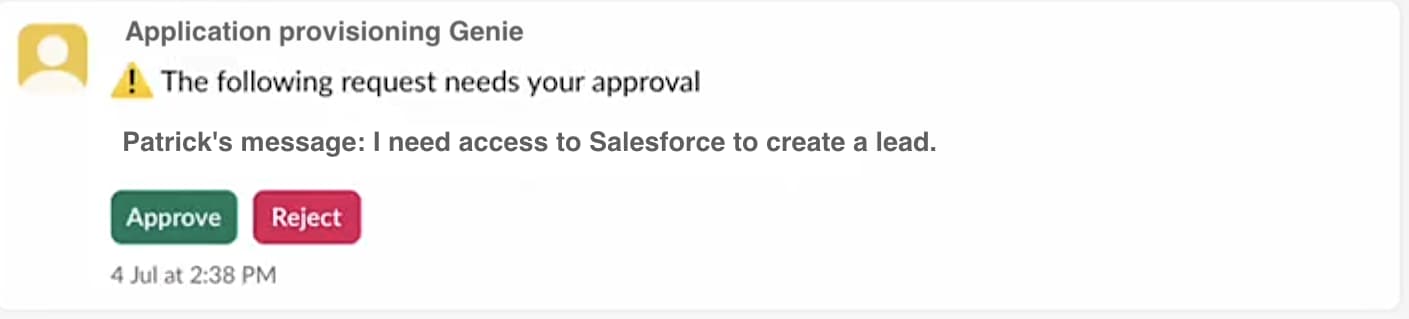
Workato's current Agent Studio Business Approvals persist requester, approver, status, timestamps, and decision data in a Workato data table before notification. That makes an approved record reusable after a transient retry instead of asking the manager again. The feature is beta, tasks can remain valid for at most 30 days, reviewers act through the configured chat interface, and the documented feature is not compatible with Workato GO or Assign task to genie. Workato documents Slack and Microsoft Teams support. This specific control applies to Agent Studio skills; do not assume every recipe action automatically receives an approval gate.
For either platform, verify the exact reviewer payload, delegated approver behavior, expiry path, audit record, and whether a replay can bypass the checkpoint. A visible Approve button is only the front end of the control.
Retries recover execution, not business state
Workato action blocks can retry up to three times. Failed operations generally do not count toward usage; an expected HTTP error can still count when the action handles it as an intended completed result. Successful steps before a later failure count, and operations that run again during a rerun count again. Manual job reruns reuse cached trigger data and reprocess the recipe from the beginning. Workato explicitly warns that this can create duplicate records and that source changes made after the original event are not reflected in the cached input.
Power Automate supports per-action fixed or exponential retry policies, Run after branches, and scope-based try/catch patterns. Current limits allow up to 90 configured retry attempts, with separate default policies by performance profile. Every request counts whether it succeeds or fails, and connector throttles can be reached before the broader platform limit.
Neither retry model reverses an external side effect that already succeeded. If an API accepted a payment, created a user, or sent an email before a timeout, a retry can duplicate it. Use idempotency keys where the target supports them, persist business correlation IDs, design compensating actions, and test ambiguous timeout responses. For Workato, also test the cached-trigger rerun path. For Power Automate, test action retries, resubmission, the 30-day boundary, connection-owner loss, and machine unavailability.
Practical choice
- Pick Workato for a centralized enterprise integration program spanning many SaaS, ERP, HR, finance, API, event, data, and private-network systems.
- Pick Power Automate for Microsoft 365 approvals, Power Apps processes, Dynamics and Dataverse workflows, or attended and unattended Windows automation.
- Before signing, model one production process with real loops, retries, documents, AI steps, connector calls, users, environments, machines, and concurrency. Then force a 429, an expired credential, a 30-day approval timeout, and an ambiguous external timeout.
Compare the wider category in the best AI workflow automation tools guide. Define reviewer identity, expiry, replay, and audit requirements with the human-approved AI automation guide.
Read the detailed Workato profile for platform scope and public self-service pricing, or the Microsoft Power Automate profile for Microsoft ecosystem and RPA fit.
Sources & further reading
- Workato self-service billing
- Workato Free
- Workato usage metrics
- Workato Tasks usage
- Workato environments
- Workato on-prem connectivity
- Workato Agent Studio business approvals
- Workato job reruns
- Workato community Power Platform discussion
- Microsoft Power Automate US pricing
- Microsoft Power Automate license types
- Microsoft Power Automate licensing FAQ
- Microsoft Power Automate cloud-flow limits
- Microsoft Power Platform data policies
- Microsoft Power Automate error handling
- Microsoft Power Automate approval workflow


Ordered for comparison, not as a universal ranking. Inclusion requires a direct fit with this page's stated workflow.