
Tool
Microsoft Power Automate
A low-code automation platform for cloud workflows, attended and unattended desktop automation, approvals, and Microsoft ecosystem processes.
TL;DR
- Best for organizations already standardized on Microsoft 365, Dynamics, Power Apps, and Windows.
- Combines cloud flows, attended desktop RPA, approvals, process mining, and Copilot-assisted building.
- A limited Free license supports eligible work/school accounts; US Premium costs $15 per user per month paid annually.
- Unattended automation uses the separate Process plan, priced at $150 per bot per month paid annually.
- Licensing context, connectors, environments, and action limits make total cost less simple than the headline price.
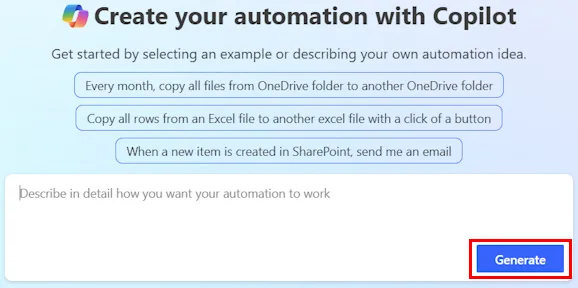
Microsoft Power Automate is the workflow and robotic process automation layer of Power Platform. Cloud flows connect APIs and Microsoft services, while desktop flows automate web and Windows interfaces. Copilot can create or edit flows from natural-language instructions, but the resulting automation still runs under Power Automate's connector, licensing, and environment rules.
Decision snapshot
| Question | Answer |
|---|---|
| Primary interface | Web flow designer and Windows desktop flow designer |
| Best use | Microsoft 365 processes, approvals, Power Apps back ends, and Windows RPA |
| Free option | Eligible work/school accounts: unshared standard-connector cloud flows and local attended desktop flows |
| Starting paid price | $15 per user per month paid annually for Premium |
| Main trade-off | Licensing and environment rules become complex beyond simple user-owned flows |
What Microsoft Power Automate does well
Power Automate fits naturally into a Microsoft estate. SharePoint, Teams, Outlook, Forms, Dynamics, Dataverse, and Power Apps can participate in one governed process without introducing a separate identity system. Approvals and solution-aware flows are useful for departmental processes that must move from personal automation into managed environments.
The product also spans API-based and interface-based automation. Premium covers cloud flows and attended desktop RPA for a licensed user. A Process license can cover unattended RPA or a core cloud process. Copilot reduces the initial builder work by turning a description into a draft flow or adding actions to an existing one.
Where it falls short
Licensing is the recurring trap. Rights depend on the flow owner, connector type, process license, machine, environment, and whether desktop automation is attended or unattended. Guest users and service-principal-owned flows add more conditions. Buyers should validate a proposed architecture against current licensing documentation, not assume one Premium seat covers a department.
The visual designer can also become cumbersome for large flows. Copilot helps generate steps, but it does not remove the need for naming, error handling, connection ownership, deployment discipline, and action-limit planning.
What users report
In r/MicrosoftFlow, one developer called the new designer a “terrible laggy New User interface” and criticized repeatedly searching for common actions. Other community threads show real adoption for SharePoint approvals and document workflows. The practical split is clear: Microsoft integration is the draw, while builder ergonomics can frustrate experienced users.
Bottom line
Choose Power Automate when Microsoft identity, data, apps, and governance already define the operating environment. Choose a vendor-neutral orchestrator when the workflow spans many non-Microsoft systems or when licensing clarity and code-first maintenance matter more than native Power Platform integration.
Compare pricing units, approval boundaries and recovery ownership in the AI workflow automation shortlist.
Related comparisons
Related workflow guides
For the full platform decision, read Zapier platform pricing, approvals and recovery.
For migration planning, read Relay.app shutdown and reconstruction from surviving records.
For platform evaluation, review Tines 3B and Stories for governed security and IT workflows.
Sources & further reading


Appears in