Comparison
n8n vs Make (2026)
Choose n8n for self-hosting, code-level control, and execution pricing; choose Make for managed visual automation and broad app coverage.
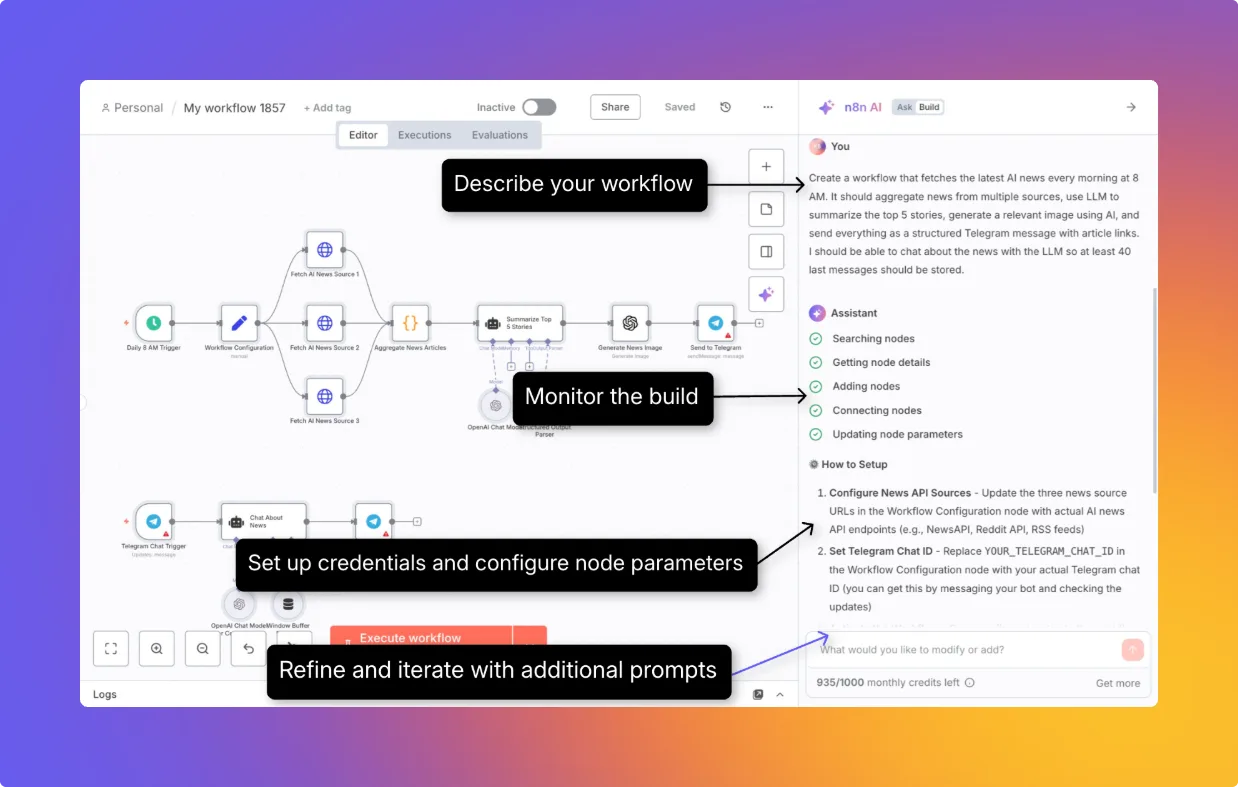
Verdict: Choose n8n when a technical owner needs self-hosting, code and API flexibility, native approval before selected AI tool calls, or execution-level metering for long workflows. Choose Make when a business operations team wants a managed cloud service, a visual bundle-by-bundle debugging model, and broad packaged app coverage without owning runtime infrastructure. Neither is universally cheaper: n8n meters workflow executions, while Make meters module actions and some AI work dynamically.
n8n is the stronger control plane. Make is the easier managed operations surface. The decision usually turns on deployment ownership and the shape of one representative workflow, not the number of logos on an integrations page.
We did not run a controlled reliability, migration, or performance test. This comparison uses current vendor documentation, live public pricing checked on October 13, 2026, and attributed practitioner reports. Prices remain in the currencies displayed by each vendor; no exchange rate was invented.
n8n vs Make decision matrix
| Decision | n8n | Make |
|---|---|---|
| Best fit | Technical teams that want deployment and workflow control | Operations teams that want a managed visual platform |
| Meter | Production workflow executions, with unlimited steps per execution | Credits per module action; selected AI features use dynamic credits |
| Fan-out effect | Items can move through many nodes inside one execution without per-node platform charges | Downstream modules run for every bundle, so fan-out multiplies credits |
| Hosting | n8n Cloud or self-hosted Community, Business, and Enterprise options | Make-hosted platform; Enterprise on-premise agent reaches local systems |
| License | Source-available Sustainable Use License; not OSI open source | Proprietary managed service |
| Failure workflow | Error workflow plus execution log and manual retry | Error handlers plus incomplete executions and resume/retry paths |
| Human approval | Documented approval before selected AI Agent tool calls | Human in the Loop review-request app on Enterprise, currently closed beta for invited customers; manual stop points can also be built into a scenario |
| Code | JavaScript and Python code steps; custom nodes when self-hosted | JavaScript and Python Code app on paid plans, metered at 2 credits/second |
| Paid entry used here | Starter €20/month equivalent, billed annually, 2,500 executions/month | Core $9/month equivalent, billed annually, at 10,000 credits/month |
| Operational burden | Higher when self-hosted; your team owns upgrades, scaling, backups, and incident response | Lower infrastructure burden; platform limits and credit behavior remain vendor-controlled |
Pick n8n for control and complex workflows
n8n's advantage grows with workflow depth. Its pricing page says it charges for a workflow execution rather than each step. A workflow can branch, transform data, call APIs, run code, and use AI nodes without turning every node into another n8n platform charge. Model-provider, external API, and infrastructure costs still apply.
The canvas also leaves room for technical escape hatches: JavaScript and Python code, HTTP and GraphQL requests, cURL imports, CLI and API control, and custom nodes on self-hosted editions. That makes n8n a better choice when the workflow will inevitably need custom authentication, nonstandard payload handling, or code beside visual nodes.
Self-hosting is a capability, not a free managed service. Your team owns deployment, upgrades, secrets, backups, worker capacity, and recovery. The free Community Edition includes most core workflow features, but n8n documents paid-only gaps including SSO, environments, projects, external secrets, log streaming, multi-main scaling, and Git version control. Business is currently self-hosted only; Enterprise can be cloud-hosted or self-hosted.
Pick Make for a managed visual operations surface
Make's scenario editor centers on modules, routes, and the bundles that moved through them. Its operations documentation explains the meter in the same model: an operation is a module run that processes or checks data. That visual and billing alignment is useful for operators who debug records in the canvas and do not want to maintain the execution service beneath it.
Make is especially practical when the required apps already have polished modules and an operations team will own the scenarios. The platform handles hosting, scheduling, queues, and standard infrastructure. Enterprise's on-premise agent can reach systems on a local network, but Make describes it as an agent for local access, not a self-hosted deployment of the whole automation platform.
The tradeoff is less deployment control and a meter that follows work performed inside the scenario. Large bundles, iterators, searches, and AI features can make the credit cost diverge sharply from the number of top-level scenario starts.
Pricing: normalize billing period and workload
The closest public annual-billing comparison is:
| Plan | Displayed price | Included monthly usage | Relevant limits |
|---|---|---|---|
| n8n Starter | €20/month equivalent, billed annually | 2,500 workflow executions | Hosted; 5 concurrent executions; 1 shared project; 1,600 Assistant credits/month |
| n8n Pro | €50/month equivalent, billed annually | 10,000 workflow executions | Hosted; 3 shared projects; concurrency and Assistant credits vary with selected tier |
| Make Core | $9/month equivalent, billed annually | 10,000 credits | 1-minute schedule interval; 40-minute scenario execution limit |
| Make Pro | $16/month equivalent, billed annually | 10,000 credits | Adds priority execution and higher-tier operational features |
| Make Teams | $29/month equivalent, billed annually | 10,000 credits | Adds team roles and scenario-template sharing |
Make's live monthly selector at the same 10,000-credit level displayed $10.59 Core, $18.82 Pro, and $34.12 Teams on October 13. Its annual selector displayed $9, $16, and $29. A separately extracted version of the public page returned $12, $21, and $38 for monthly billing, so the vendor's own public surfaces were inconsistent. Treat the rendered selector as the current reference and confirm the final amount at checkout or in a quote.
Do not compare “10,000” across the two products as though it were the same unit. Ten thousand n8n executions can contain many steps. Ten thousand Make credits can disappear inside far fewer scenario starts when bundles fan out.
n8n's Assistant credits are also separate from workflow executions. The October 2026 change sets each Assistant credit to a fixed $0.01 and reduced Starter to 1,600 per month. These credits pay for conversations with the build-time Assistant; running workflows does not use them. Bring-your-own AI keys and optional Gateway usage create separate provider or credit costs.
Make replaced operations with credits as its billing unit. Most non-AI module actions cost one credit. A third-party AI module with your own provider key generally uses the normal operation-based charge while the model provider bills tokens separately. Make's own AI provider and automated AI features can use dynamic credits based on tokens, files, pages, or runtime. The paid Code app costs two credits per second.
Fan-out and retries can reverse the cost result
Make gives a useful official example: one trigger returning 10 bundles followed by three downstream modules consumes 31 operations—one for the trigger and 30 across the downstream modules. Under n8n's advertised execution model, a comparable start that keeps those records inside one workflow is one execution rather than 31 node charges. That does not prove the workflows are functionally identical, and it excludes AI, API, and hosting costs, but it shows why fan-out must be modeled before comparing plans.
Failure math is less clean. Make says Router and error-handler modules do not consume credits. Retried app or AI actions still perform module work, so budget them under the normal fixed or dynamic credit rules. Make can store an incomplete execution, let an operator inspect and fix it, and resume processing; its Retry error handler pauses a failing bundle and uses the incomplete-execution path.
n8n's own documents conflict on quota accounting. The execution documentation says scheduled runs count regardless of outcome and error workflows do not count. The execution-limit support FAQ says failed executions do not count, while retries and error-handler workflows are affected by the production-execution cap. “Affected by the cap” does not necessarily mean every attempt is charged. Do not build a budget from either interpretation alone; ask n8n to confirm in writing how the current plan treats failed scheduled runs, retry attempts, and error workflows.
The exhaustion behavior also differs. Make says scenarios stop when credits run out, but incoming webhooks queue up to the plan's storage limit and polling resumes from the last successful run after credits return. n8n's support FAQ says new trigger attempts fail immediately at the execution limit and are not queued. Design an upstream buffer if dropped triggers are unacceptable.
Self-hosting, license, and data placement
n8n Community Edition lets you run the application and choose the infrastructure location. Its code is visible, but the Sustainable Use License FAQ describes a source-available or fair-code license, not an OSI open-source license. Internal business use is generally allowed. Hosting n8n as a service for customers, white-labeling it, or selling access to substantial n8n functionality can require a commercial agreement.
n8n Cloud documentation places its core cloud service in Azure's EU region, while self-hosting gives the operator direct placement control. Optional AI models and subprocessors can move request data to other regions, so an EU application region alone is not an end-to-end residency guarantee.
Make requires an organization to choose its US or EU data-center location when created, and says that choice cannot later be changed. Its AI data-zone documentation also warns that some AI services or models may process data in the US or UK. With bring-your-own keys, the provider's own configuration and terms govern that path.
If residency or regulated data decides the purchase, map every credential, log, binary object, AI model, and subprocessor. “EU region” is not enough on either platform.
Failure handling, approvals, and AI controls
n8n supports a dedicated error workflow that begins with an Error Trigger and receives context from the failed execution. Operators can alert a channel, persist the incident, load prior execution data, and retry manually with the saved or current workflow. Paid tiers add progressively longer history, insights, and governance features.
For agentic actions, n8n documents a native human-review step in front of all or selected AI Agent tools. The workflow pauses, shows the reviewer the tool and parameters, then executes only after approval; a denial cancels the call and informs the agent. Approval can arrive through n8n Chat, Slack, Teams, email, and several other channels. The pricing table also lists AI usage controls, evaluation features, encrypted credentials, and higher-tier secrets and log controls.
Make offers error handlers, incomplete executions, warnings, and resumption controls on the same visual scenario surface. Its AI Agents material says builders can add rules, manual approvals, and stop points around agent steps. Make also documents a Human in the Loop app with modules to create or cancel a review request, list reviews, and watch completed reviews. As of October 13, that app is available only on Enterprise and remains a closed beta for invited customers. It is a scenario-level review-request mechanism; Make's documentation does not establish general availability or the same per-tool interception boundary n8n documents. For either product, verify what data the reviewer sees, who can approve, whether denial is logged, and whether a retry can bypass the checkpoint.
What practitioners report
Two replies in a December 18, 2025 n8n community thread on Reddit describe the practical tradeoff. u/AccurateSun called n8n “slightly more sophisticated” for branching and data manipulation, with a higher learning curve, while preferring Make's visualization of bundles and scenario connections. u/Trees-over-wood warned that self-hosting n8n still means owning updates and changes, and reported more HTTP-request maintenance when an integration was missing.
Those are individual workflow reports, not benchmarks. The same Trees-over-wood comment says n8n plans limit active workflows, but current n8n pricing lists unlimited active workflows on paid tiers. The comments support testing operator fit and integration coverage; their pricing and limit claims should not override current vendor documentation.
Practical verdict
- Pick n8n when deployment control, custom code, long multi-step workflows, or native approval before selected AI tool calls matters enough to justify a technical owner.
- Pick Make when the team values a managed service, visual bundle inspection, and packaged integrations more than self-hosting or execution-level metering.
- Model one real month before signing annually: starts, records per start, downstream fan-out, retries, AI tokens, code runtime, external API charges, and the labor cost of self-hosting.
Compare the wider category in the best AI workflow automation tools guide. Use the no-code AI workflow guide to define approval, evaluation, and fallback requirements before recreating a production process.
Read the detailed n8n profile for hosting and control boundaries or the Make profile for its managed scenario model.
Sources & further reading
- n8n pricing
- n8n execution documentation
- n8n execution limit FAQ
- n8n Assistant credit change
- n8n Assistant credit FAQ
- n8n Community Edition features
- n8n Sustainable Use License FAQ
- n8n error workflows
- n8n execution retries
- n8n human approval for AI tools
- n8n subprocessors
- n8n comparison data-location statement
- Make pricing
- Make credits
- Make operations
- Make error handling
- Make retry error handler
- Make Code app
- Make organization data location
- Make AI providers and data zones
- Make on-premise agent
- Make AI Agents
- Make Human in the Loop app
- n8n versus Make community discussion


Ordered for comparison, not as a universal ranking. Inclusion requires a direct fit with this page's stated workflow.