Use case
How to Research Target Accounts with AI
Build source-backed account briefs with Clay or Apollo. Separate fit from timing, verify buying signals, control research cost, and write evidence to CRM.
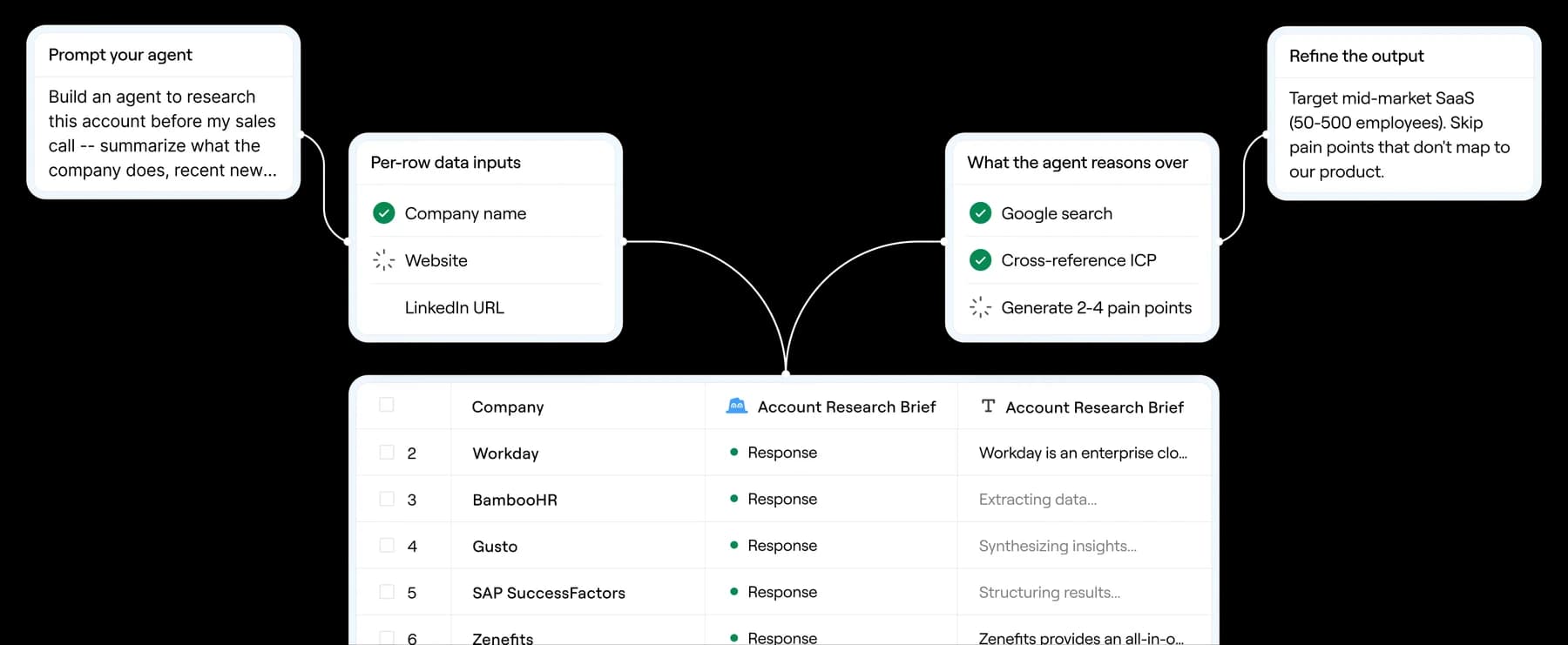
Verdict
Use AI account research to make a reviewable go, hold, or reject decision, not to manufacture a personalized paragraph. Apollo is the cleaner default when its company and contact data covers your segment and the brief should live beside search, lists, and sequences. Clay is the better fit when qualification needs several providers, first-party CRM context, custom web research, or reusable logic. In either product, require a URL, event date, retrieval date, and confidence for every timing claim; an unsupported “pain point” is a failed research row.
This workflow starts after the market and ICP are defined and stops before message generation. For list sourcing, enrichment, outreach, and reply routing, use the automated sales prospecting workflow. For turning approved evidence into copy, use AI cold-email personalization. If the stack is still open, compare the best AI sales prospecting tools, read the Clay review and Apollo review, or use the direct Clay vs Apollo comparison.
Define the decision before the brief
An account brief should answer one operational question: should a rep spend time on this company now? Write the acceptance rules before running research.
| Decision field | Required evidence | Reject or hold when |
|---|---|---|
| Account identity | Canonical domain, legal or trading name, CRM ID | Domain redirects to another company, identity is ambiguous, or record duplicates an existing account |
| Stable fit | Geography, employee or revenue band, industry, business model, required technology or operating condition | A hard ICP criterion fails or only an unsourced estimate supports it |
| Exclusions | Customer, open opportunity, competitor, partner, suppression, unsupported territory | Any exclusion is true; automation must stop before enrichment or contact discovery |
| Timing | A dated event that changes priority: launch, hiring pattern, filing, leadership change, expansion, procurement notice, or relevant technical change | Event is stale, has no primary source, or has no defensible link to the offer |
| Stakeholder map | Current role plus source date; buying role marked as hypothesis | Employment is unverified or the model presents authority, budget, or interest as fact |
| Next action | go, hold, or reject, reason code, owner, review date | Evidence conflicts, decisive fields are unknown, or source freshness exceeds policy |
Keep fit and timing separate. Fit changes slowly; timing expires. A company can be an excellent long-term account and still belong in hold because nothing supports “why now.” Conversely, a fresh funding announcement does not rescue a company outside the ICP.
Choose Clay or Apollo for the account, not the feature list
Start with Apollo when the qualification fields are conventional database attributes and one system should own company search, contact discovery, research fields, lists, and sequence handoff. Apollo search applies AND logic across filters and OR within a filter, can limit contacts per company, and can move selected records to a list, workflow, CRM, AI Research, or sequence. Validate its data on your exact country, segment, and job family before treating this convenience as coverage.
Start with Clay when the decisive field is custom: “does the company sell through partners?”, “is this product line expanding?”, or “which of these providers can verify the same attribute?” Waterfalls run providers in a defined order, can retain the successful provider, and support conditional runs. Use AI can return typed fields from web research. Claygent Builder adds reusable instructions, workspace context, web search, test cases, version history, and deployment across tables.
Do the first five to ten strategic accounts manually if the decision criteria are still changing. Automation makes a stable research method repeatable; it does not discover which evidence your sales team should trust.
Build the account-research workflow
1. Start from the CRM record
Use CRM account ID plus canonical domain as the key. Normalize subdomains and redirects, then check customers, open opportunities, ownership, active sequences, competitors, partners, and suppression before a paid call runs. Preserve first-party facts instead of replacing them with provider estimates.
Create a fixed research policy: target segment, hard exclusions, acceptable sources, maximum signal age, confidence labels, and fields AI may leave unknown. Do not let the model turn missing evidence into a neutral score; missing decisive evidence should route the account to review.
2. Establish stable fit with deterministic fields
Retrieve only the fields used by the ICP. Record provider, returned value, retrieval date, and whether another source corroborates it. Use rules for exact exclusions and thresholds; reserve the model for classification that genuinely needs judgment.
In Apollo, save the account set after filters but before deeper AI Research. In Clay, use formulas and filters before provider or AI columns. Clay says formulas, filters, first-party imports, and list sourcing do not consume Actions, while each enrichment or AI run normally does. That order prevents obviously bad-fit accounts from reaching expensive steps.
3. Research timing from primary sources
Search the company's newsroom, investor relations, filings, careers pages, documentation, status or changelog, and official leadership announcements. Use search results to discover material, then cite the underlying company or regulator page in the brief rather than a generated answer.
For each candidate trigger, store:
claim: one narrow factual sentence;source_url,publisher,published_at,event_at, andretrieved_at;- a short supporting excerpt or exact data field;
relevance: how the event changes the account decision;confidence: high, medium, or low, with a reason;expires_at: when the signal must be checked again.
“Hiring engineers” is weak. “The company lists eight open platform-engineering roles on its careers site, retrieved October 6” is reviewable. The second statement still does not prove budget, dissatisfaction, or intent to buy.
4. Map stakeholders only after account qualification
Find people after the account passes stable-fit checks. Capture current title, source, and retrieval date. Map likely roles such as economic buyer, technical evaluator, operator, procurement, or blocker, but label these as hypotheses based on the role and company context.
Do not infer personal interest from a post view, profile visit, job title, or generic intent score. Do not enrich phone numbers and emails until the workflow has a justified next action; contact data is unnecessary expense and exposure on rejected accounts.
5. Force structured evidence, including failure states
Use separate fields rather than one generated memo. A minimal output contract looks like this:
{
  "decision": "go | hold | reject | review",
  "reason_code": "string",
  "stable_fit": [{"criterion": "string", "result": "pass | fail | unknown", "source": "url"}],
  "timing_signals": [{"claim": "string", "event_at": "YYYY-MM-DD", "source": "url", "expires_at": "YYYY-MM-DD"}],
  "stakeholders": [{"name": "string", "title": "string", "buying_role_hypothesis": "string", "source": "url"}],
  "contradictions": ["string"],
  "open_questions": ["string"],
  "next_action": "string"
}
Tell the model to return unknown when a source is missing, preserve contradictions, avoid inferred pain or budget, and cite the exact page behind every material claim. Generate the readable one-page brief from these reviewed fields, not directly from raw search results.
6. Review, write back, and expire
Review every go account and a sample of holds and rejects. Open each decisive source. Check that it supports the claim, describes the same company, and reports an event inside the allowed window. Reject aggregator pages that merely repeat another publication when the original is available.
Write the structured evidence, decision, research version, owner, and next review date to the CRM. Use a field-level write policy. Clay Audiences defaults Salesforce mappings to Never write until changed; its current docs say HubSpot is import-only in Audiences, while Salesforce supports writeback. Confirm the destination behavior instead of assuming “CRM sync” means bidirectional updates everywhere.
Current cost and limit checks
Prices and limits below were checked October 6, 2026. They change; verify the live selector and order form before buying.
| Product | Relevant current behavior | Cost control for account research |
|---|---|---|
| Clay | Free includes 500 Actions and 100 Data Credits monthly. Launch is $185 monthly with 15,000 Actions and 2,500 Data Credits; Growth is $495 monthly with 40,000 Actions and 6,000 Data Credits. Growth adds CRM auto-sync, HTTP API, and webhooks. | Each AI run or enrichment generally consumes one Action per record; marketplace data and AI also consume variable Data Credits. BYOK removes Clay Data Credits for that call but still consumes an Action and incurs provider charges. Claygent Builder lets operators test up to 10 inputs at a time without credits before deployment. |
| Apollo | Annual cards show Basic at $49/seat/month with 30,000 credits/year, Professional at $79 with 48,000, and Organization at $119 with 72,000 and a three-seat minimum. Monthly Basic is $65 with 2,500 credits/month; Professional is $99 with 4,000. | AI Research costs one credit per record per output column. Ten accounts with three research columns consume 30 credits. Apollo provides free prompt previews, per-user credit caps, and workflow processing limits; saved results can be private or organization-wide. Credits are pooled and do not roll over. |
Clay's pricing page contains dynamic annual/monthly values, and its public Enterprise Action figures conflict across pages; do not copy an Enterprise allowance into a forecast without a quote. Apollo's pricing FAQ and cards also use inconsistent names for its fourth tier, and the monthly selector labels Organization “Annual Only.” The Clay vs Apollo comparison keeps the full reconciliation.
What practitioner reports add
Practitioner evidence reinforces the need to pilot provider fit and cost, but it cannot establish accuracy. Reddit user u/opsjamonquemando described choosing the right providers for the team's ICP as the learning challenge and explicitly declined to predict yield. In the same discussion, u/ihatejackblack234 called Clay more adaptable for specific workflows while warning that credits and expensive waterfall sources are easy to burn.
Product Hunt reviewer @rabnoor_s reported value from keeping data and sending in one system, but also reported thinner coverage outside technology and smaller consumer brands and limited help diagnosing why a segment underperformed. These are individual self-reports with no shared sample, geography, workflow, or controlled comparison. Use them to define pilot questions, not to choose a universal winner.
Validate the system before scaling
Build a small evaluation set with known good fits, narrow misses, customers, duplicates, ambiguous domains, stale triggers, and source contradictions. Measure decision agreement with a human reviewer, decisive-claim citation coverage, factual correction rate, unknown rate, stale-signal rejection, duplicate prevention, and total provider plus platform cost per accepted account.
Do not grade the system on brief length or how persuasive the output sounds. A short reject with one verified exclusion is better account research than a polished page of inferred needs.
For the wider revenue stack beyond prospecting, compare AI sales tools by workflow.
Compare Gong vs People.ai / Backstory: conversation evidence versus account activity, relationship context, and retention.
Related sales workflows
- Lead scoring and prioritization.
- CRM enrichment with reviewed field changes.
- Sales-call risk analysis.
For ongoing account strategy, use the AI account-planning workflow to turn research and interaction history into reviewed priorities, stakeholder gaps and owned actions.
Related product evaluations: HubSpot Breeze for AI inside an existing HubSpot CRM; ZoomInfo Copilot and the GTM Workspace transition; Common Room for joining buyer signals to people and accounts.
For product selection, evaluate Amplemarket when research should feed a signal-based sequence. If the previous research tables lived in Persana, consult the Persana sunset and migration review and reconstruct from retained exports and downstream copies.
Related workflow guides
Sources & further reading
- Claygent Builder documentation
- Clay Use AI documentation
- Clay waterfall documentation
- Clay Actions and Data Credits
- Clay Audiences documentation
- Clay pricing
- Apollo AI Research overview
- Apollo people search documentation
- Apollo pricing
- Clay practitioner report on provider fit
- Clay practitioner report on flexibility and credit use
- Apollo practitioner review on integrated data and sending


Ordered for comparison, not as a universal ranking. Inclusion requires a direct fit with this page's stated workflow.