
Tool
Unify
Unify review for AI outbound teams: 2026 pricing, credits, signal-triggered Plays, CRM limits, web-intent privacy, controls, and fit.
Verdict
Choose Unify when the real job is turning a known signal—website activity, product use, a new hire, a CRM change, or a defined account audience—into researched contacts and controlled outbound. Its distinctive value is the Play connecting signal, qualification, prospecting, routing, and sequence enrollment. The catch is structural: website and product signals, automated Plays, read-write CRM sync, API and webhooks sit in the custom-priced Business tier. Free, Base, and Pro can validate rep-led research and sequencing, but not the full signal-to-action system. Pilot one trigger with replayable accounts, a holdout, and human review before allowing automatic sends.
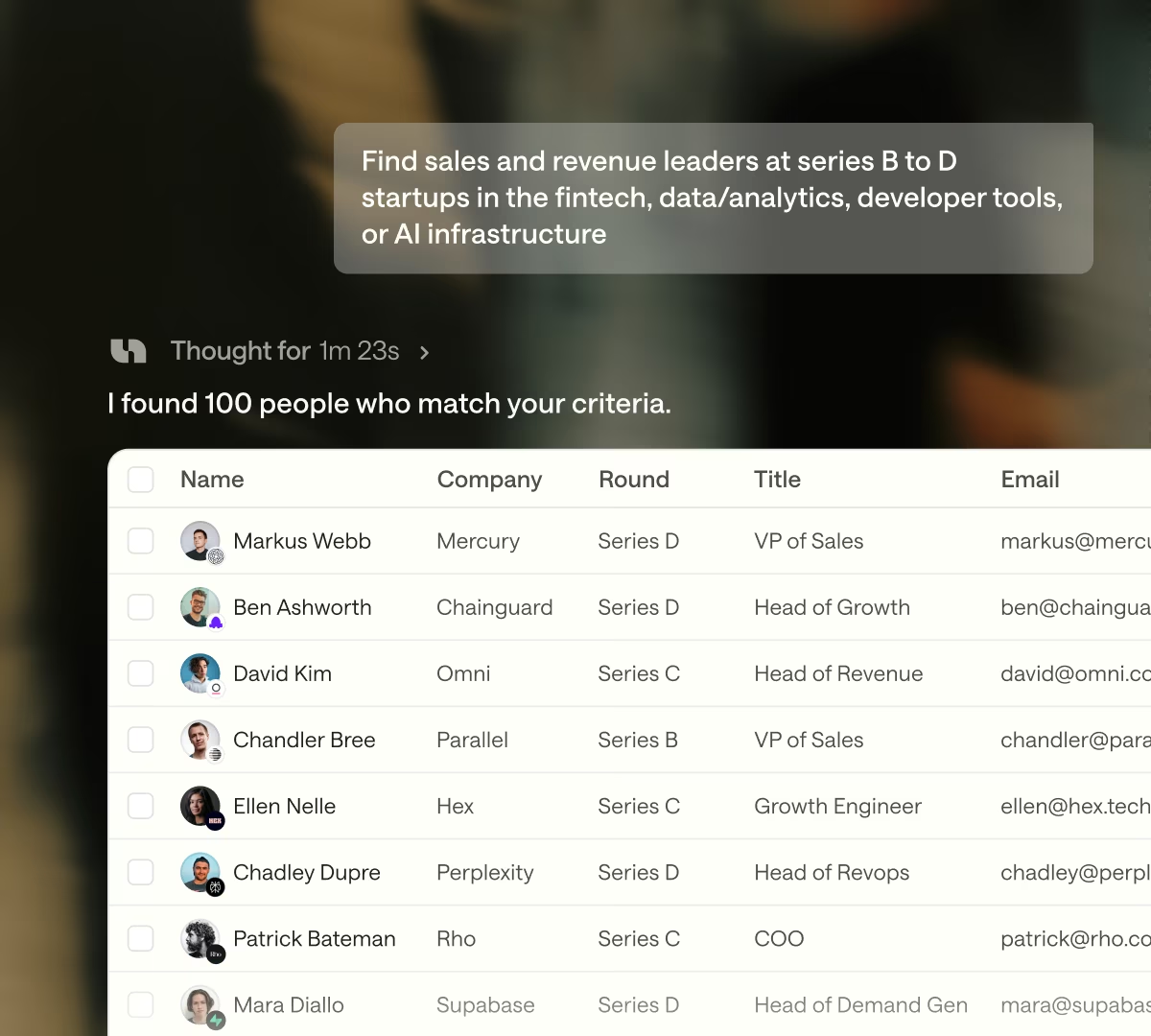
Unify is an AI outbound platform that combines prospect and company data, agent-led research, enrichment, intent signals, sequences, CRM connections, and workflow automation. A seller can ask its chat interface to build a list or research accounts. A revenue-operations team can use a Play to watch a signal, qualify the account, find the right persona, route ownership, update CRM, alert a rep, and enroll a contact.
Start with the AI sales tools guide for the stack decision and the AI sales prospecting shortlist for tools focused on finding and prioritizing prospects. Compare Clay when the team wants a visible, configurable enrichment workbench. Compare Common Room when identity resolution across product, community, CRM, website, and social activity is the harder problem.
The signal-triggered outbound decision
Unify is most defensible when timing is the bottleneck. If the team already knows its market but reacts late to relevant activity, a Play can turn one defined signal into a repeatable next action. If the team lacks a stable ICP, clean exclusions, healthy mailboxes, or CRM ownership, automation compounds those gaps.
| Decision | Unify fits when | Prove before rollout |
|---|---|---|
| Signal quality | A small set of events consistently predicts a useful sales conversation | Replay won, lost, disqualified, customer, and employee accounts; measure true triggers and false positives by source |
| Contact selection | Each qualified account can map to a narrow persona and territory owner | Audit current employment, role fit, verified reachability, duplicates, and owner routing on the hardest 100 accounts |
| Action policy | The team can state which signals deserve research, an alert, a draft, or an automatic send | Run draft-only first; review evidence, personalization claims, suppressions, and approval ownership |
| CRM governance | Salesforce or HubSpot remains the record system | Test matching, field precedence, create/update permissions, sync delay, write errors, rollback, and duplicate prevention |
| Unit economics | Credits and mailboxes replace enough research and orchestration work to justify Business | Model the full Play: signal checks, research, enrichment, copy, retries, top-ups, seats, managed mailboxes, and destination licenses |
| Compliance | Legal can approve prospect data, visitor identification, outreach, and customer-data terms | Review consent, notices, opt-outs, retention, data-improvement license, subprocessors, regions, and deletion terms |
Current pricing and published limits
The pricing page was checked October 12, 2026. Public self-serve prices are monthly; Business is custom and billed annually.
| Plan | Public price | Included credits | Material boundary |
|---|---|---|---|
| Free | $0 | Limited; quantity not stated | Up to 3 seats; 1 mailbox per seat; 100 records per search |
| Base | $20/seat/month | 800 per seat each month | Enrichment, hiring and job-change signals, credit top-ups, unlimited seats |
| Pro | $60/seat/month | 2,400 per seat each month | 14-day trial; read-only Salesforce and HubSpot; Slack; sequence and rep analytics |
| Business | Custom annual | Custom annual workspace pool | Website and product signals; automated Plays; read-write CRM; API and webhooks; managed mailboxes; signal analytics; SSO add-on |
Every tier lists a 100-record search limit. Free, Base, and Pro include one mailbox per seat. Business lists managed Gmail and Outlook mailboxes at $25 per mailbox per month, beyond the custom subscription. The pricing cards and comparison grid do not describe every feature identically, so the signed order form should control any disputed entitlement.
Credits meter data and AI actions rather than contacts alone. Unify says most actions cost 1–2 credits, email enrichment averages 1 and can reach 10, and phone enrichment averages 4 and can reach 20. Provider and prompt complexity change the actual burn. Paid plans can buy one-time top-ups; the shared balance does not auto-renew and unused top-up credits carry for up to 12 months. When seat and shared balances are exhausted, new credit-consuming work pauses, although an in-flight automation finishes its current step.
That hard cap limits surprise spend, but it can stop a Play between steps. Benchmark complete-play cost and failure handling, not the cheap search at the front. For contract accounts, Unify's billing guide says added seats prorate by day, while extra-credit cost is spread across the remaining contract installments. It does not explain whether self-serve top-ups follow the same invoicing treatment. Ask for top-up price, failed-action treatment, renewal allocation, and export rights in writing.
Plays provide control, with polling latency
A Play has one trigger and one or more actions. Published triggers include audience membership, web intent, LinkedIn engagement, new hires, schedules, manual starts, webhooks, and Zapier. Actions include prospecting, AI qualification, sequence enrollment, Salesforce or HubSpot sync, Slack alerts, ownership, A/B splits, branches, and loops. Metrics expose audience size, prospects found, contacts enrolled, and reasons contacts were not enrolled; node and execution logs support investigation.
This is not a universal real-time event stream. Unify's current timing guide says continuous triggers and CRM sync each run on roughly 15-minute cycles. Exclusion changes can take 30–45 minutes to propagate, and enrollment counters can lag 30–60 minutes. A CRM update immediately before a Play fires can therefore arrive too late to suppress a contact. Unify recommends a short delay at the start of time-sensitive Plays. That race matters for open opportunities, customers, recent opt-outs, and anyone already in another motion.
Controls exist, but they need ownership. Organization, audience, and ruleset exclusions can block enrollment; suppression-list contacts are excluded; contacts cannot be in two sequences at once; mailbox and company caps can queue work. A published Play processes new matches and does not automatically revisit records already processed unless a retrigger interval is configured. The minimum retrigger cadence is one day.
Mailbox limits also shape throughput. Unify's October 6 guide says a connected primary mailbox can be configured from 1 to 150 sends per day, with the vendor recommending conservative volumes. Unify-managed secondary mailboxes are capped at 25 daily sends. Those are capacity controls, not deliverability guarantees.
CRM and integration boundaries
Pro's Salesforce and HubSpot connection is read-only. Business adds read-write sync. Unify's chat can read accounts, contacts, opportunities, owners, custom fields, pipelines, and record permissions from those CRMs, but its current guide says chat itself does not write records. Automated write behavior belongs to the broader Business integration and Plays layer.
Writeback is not instant or perfectly symmetric. The HubSpot email guide says Unify emails and direct replies can sync using a two-cycle process and may take up to 60 minutes to appear. It cannot selectively sync only replies or chosen email types. For Salesforce email activity writeback, the connected user needs the documented object and field permissions; Unify exposes error and skipped-record views. Test a real sandbox with validation rules, duplicate rules, activity objects, ownership, and a representative backlog.
Data, privacy, and contract review
Web intent deserves explicit review before installation. Unify's guide says its website tag enables auto-identify by default. When active, typing a valid email into any form field can create an identify event even when the visitor does not submit the form. Person-level identification can also follow an email link, Unify sequence link, login, or authentication event. Decide whether that behavior is necessary, disclose it accurately, and bind the tag to consent and regional rules rather than relying on the vendor's eligibility logic as the customer's legal basis.
Unify's public privacy notice does not govern personal data processed solely for customers; the agreement and DPA do. The June 24 DPA treats Unify as processor for customer personal data, permits customer choice of return or deletion at termination, and gives ten days to object to a newly notified subprocessor. It separately treats account and usage data as controller data and says each party is an independent controller of Service Data in its possession.
The current terms need direct procurement attention. They grant Unify broad perpetual rights over customer data incorporated into Service Data and de-identified derivatives. They also grant a perpetual license to use customer data to maintain, enrich, and improve Unify's offerings, subject to a customer's right to opt out in writing on a prospective basis. The privacy policy's restriction against generalized AI-model training is expressly about Google Workspace API data; it does not by itself resolve how every CRM field, prompt, message, signal, or provider result is used. Obtain a signed restriction that matches the intended data flow.
The DPA states encryption at rest and in transit, role-based access controls, MFA for privileged production access, annual backup-restoration testing, SOC 2 Type II, and annual penetration testing. Public documents do not publish customer-data backup deletion time, model retention for every provider, or a full action audit schema. Review the current trust-center artifacts, subprocessor list, retention schedule, and contract redlines rather than treating badges as sufficient.
What one user reports
On April 8, 2026, Jay D., identified as Growth Lead at Navattic, posted a validated G2 review marked Organic. He described audiences based on website and product activity as valuable for triggering campaigns and said initial setup was complex, with hands-on vendor support helping build the instance. Navattic is also presented publicly as a Unify customer, so this is a customer report with a commercial relationship; G2 shows no seller-invite flag or disclosed incentive on the retrieved body. It is useful as an implementation question, not independent performance evidence.
We did not use a Unify account, install its tag, benchmark provider accuracy, connect CRM, send outreach, measure deliverability, or reproduce vendor pipeline claims. The review above is one deployment, and product packaging changed during 2026.
Choose Unify when a specific signal can support a specific, governed action and the Business-tier economics survive a replay test. Choose Clay when operators want direct control over enrichment logic and provider waterfalls. Choose Common Room when joining fragmented first-party activity into durable people and account records matters more than native outbound execution.
Sources & further reading
- Unify plans, tier gates, prices, credits, and limits
- Unify Agents product page
- Unify Plays structure, triggers, actions, metrics, and logs
- Unify Play timing, enrollment rules, and failure controls
- Unify signal-data vendors and approximate credit costs
- Unify added-user and credit-purchase billing
- Unify primary and managed mailbox send limits
- Unify CRM access through chat
- Unify HubSpot email writeback behavior
- Unify Salesforce email sync errors, permissions, and timing
- Unify web-intent identification behavior
- Unify terms and customer-data licenses
- Unify customer data processing agreement
- Unify privacy policy
- Unify trust center
- Unify user reviews on G2
- Unify customer story identifying Navattic as a customer


