
Tool
Notion Enterprise Search
Evaluate Notion Enterprise Search by connector coverage, ACL mapping, indexing limits, AI credits, Business versus Enterprise privacy, and pilot fit.
Verdict
Shortlist Notion Enterprise Search when Notion is already the team’s working knowledge base and employees need cited answers from that workspace plus a bounded set of connected apps. It is available on Business as well as Enterprise despite the product name. The best buying case is consolidation: search, source pages, permissions, verified content and follow-up work remain in one workspace.
Microsoft estates have an immediate migration gate. The legacy workspace-level SharePoint and OneDrive connector stops working after October 31, 2026. Starting November 1, each user must connect their own Microsoft account before Notion AI can retrieve those files. A prior administrator connection or app approval does not complete that step for users.
Do not treat it as a connector-for-connector substitute for Glean. Notion documents app-specific gaps, indexed-connector lookback and ingestion limits, and weaker performance when aggregating lots of information across apps. Its replacement Microsoft connector instead retrieves through personal live connections, with a different governance and freshness model. If broad retrieval across a large, messy SaaS estate is the primary job, compare it in the workplace-search shortlist against products built around that problem.
This is a different decision from Notion AI Meeting Notes. Meeting Notes captures and summarizes a conversation. Enterprise Search retrieves and synthesizes existing Notion pages, connected-app content and, unless disabled, web results.
Decision snapshot
| Buying criterion | Current boundary | What to prove in a pilot |
|---|---|---|
| Plan | Business or Enterprise | Every intended user has a paid member seat |
| Public entry price | Business is $20/member/month billed yearly or $24 billed monthly; Enterprise is custom | Contract billing interval, seat count, renewal and AI allowance |
| Sources | Notion plus Slack, Teams, Google Drive, SharePoint/OneDrive, GitHub, Jira, Gmail, Outlook, Linear and Google Calendar | Required records, attachments and history are actually searchable |
| Permissions | Notion says workspace and source permissions are respected | Restricted pages, groups, former users and permission revocations stay restricted |
| Microsoft transition | Legacy workspace connector ends October 31; replacement requires each user to connect | Every user migrates, and old admin site selection no longer scopes access |
| Freshness | Indexed connectors can take up to 36 hours initially and three hours for new content; replacement Microsoft connector retrieves live | New, edited and revoked content appears on an acceptable source-specific schedule |
| Synthesis | Best for finding and summarizing; vendor warns large cross-app aggregation is harder | Multi-source answers preserve qualifications and cite supporting passages |
| Data handling | No model training by default; provider retention differs by plan and model | Approved providers, retention mode, embeddings and deletion meet policy |
Connector count is not search coverage
The connector overview lists chat, storage, project, email and calendar sources. It describes the workspace-installed, indexed pattern: a workspace owner and source administrator set up the connection, initial ingestion can take up to 36 hours, new content can take up to three hours, and history generally reaches back one year. App-specific documentation takes precedence. SharePoint and OneDrive are now a material exception to that pattern.
Those details materially narrow coverage. The Google Drive connector requires a paid Google Workspace, does not support uploaded files larger than 10 MB, and cannot use Google “target audience” sharing as a permission route. Files shared by link may need to be opened once before Notion can find them. One Notion workspace can connect to one Google Workspace. New Drive content normally syncs about hourly.
The replacement SharePoint and OneDrive connector uses each employee’s Microsoft account and retrieves through live Microsoft tools. It does not build a Notion workspace-wide SharePoint index, so the legacy connector’s one-year lookback, 36-hour ingestion and hourly sync are not current limits for this path. Microsoft search indexing can still delay discovery; supplying a direct file link can bypass search discovery when the user already has access.
The live connector supports DOCX, XLSX, PPTX, PDF, CSV, TXT and Markdown. It excludes SharePoint site pages, Lists, OneNote and SharePoint triggers. Reads and downloads are capped at 10 MiB and spreadsheet extraction at 500 rows per sheet unless a specific range is requested. The documentation mixes coming-soon language with write-related examples; confirm write availability separately rather than assuming search access enables file edits. SharePoint results are unavailable to external tools through Notion MCP. If policies live in site pages or an external agent is the intended search surface, a connector logo does not solve the use case.
Run a coverage matrix before rollout. Include a recent Slack thread, an old Drive file, a large upload, a SharePoint page, a spreadsheet with important cell values and an attachment whose text matters. Mark each as searchable body, metadata-only, unsupported or out of lookback. That evidence is more useful than the number of enabled connectors.
Permissions need adversarial checks
Notion says AI uses only content the requester can access. Indexed connectors map source identities and permissions into their index. The replacement Microsoft connector instead acts through the user’s live Microsoft connection and can access files that account can open, including access through modern groups; classic groups are unsupported. Microsoft or Notion administrators may approve the app, but each user still has to authorize their own connection.
That shift changes governance. A legacy administrator’s SharePoint site selection does not limit the new personal connection. Notion workspace owners can approve which personal connections members may use, while Microsoft administrators can restrict who can sign in or which tenant can connect. Resource-level scoping for Custom Agents is documented as coming soon, so do not assume the old workspace selection remains an enforcement boundary.
Test with at least two users whose access differs. Ask both the same question about a restricted document, then revoke one user and repeat according to the source’s model: immediately and by direct link for live Microsoft access, after the documented interval for indexed connectors. Include private Notion teamspaces, Google groups, Microsoft modern and classic groups, link-shared files and a departed employee. Review citations as well as prose: an answer can omit a sensitive sentence while still exposing a title or source identity.
Enterprise Search searches all available sources by default, including the web. Users can narrow the source, and workspace owners can disable web search or require confirmation before external web requests. For internal-policy questions, set the source explicitly so a plausible web answer is not mistaken for company guidance.
Pricing now includes an AI allowance boundary
Checked October 25, 2026. With Pay yearly selected, the rendered pricing page lists Business at $20 per member per month. Switching the selector to Pay monthly changes Business to $24 per member per month. Both include Enterprise Search beta; Enterprise uses custom pricing. The $20 rate requires yearly billing.
Notion also introduced a new AI credit system for new Business and Enterprise workspaces on October 19, 2026; existing workspaces move on November 2. The published default is 1,500 Standard credits and 500 Select credits per member per month, with no rollover or transfer between members, but Notion says allowances can vary by plan and purchase arrangement. Auto uses Standard credits, while manually choosing a model uses Select credits. When a balance runs out, affected AI work pauses unless an admin allows purchased workspace credits.
The current feature matrix does not list Enterprise Search as a separate credit row, while Notion describes the feature itself as included in Business and Enterprise. Ask sales to state how your search workflow consumes the new allowances, which models need purchased credits, and whether limits differ during beta. “Included” describes access; it does not by itself establish unlimited query volume.
Privacy differs between Business and Enterprise
Notion says neither it nor its AI providers use Customer Data to train models by default. The security documentation describes a searchable page representation and embeddings stored in a logically separated vector database currently hosted by Turbopuffer. The connector overview also describes embeddings for indexed third-party sources. The replacement Microsoft connector is different: it retrieves through live Microsoft tools and does not build a workspace-wide SharePoint index.
For Free, Plus and Business, Notion says an AI provider may retain data for up to 30 days. On Enterprise, most models use zero data retention; models without it are off by default and require a workspace owner to opt in. Deleted page or workspace embeddings can persist for up to 60 days. For the indexed connectors described in the overview, disconnecting can take up to one hour to make content unsearchable and associated data is deleted within a day. Do not project that indexed-connector lifecycle onto the new live Microsoft connection without contract confirmation.
Require the contract and workspace settings to identify allowed model providers, opt-in models, web-search behavior and connector deletion. Enterprise zero retention is a provider boundary, not a claim that Notion stores no index, citations or operational records.
What users report
In a June 2025 Reddit discussion, Affectionate_Answer9 reported that searching Slack and GitHub was useful and, in their experience, better than Slack’s native search. In a February 2026 Google Drive connector thread, sqh365 reported that Drive retrieval worked and then stopped a few days later. These are attributed anecdotes from unknown environments, not reliability measurements. Together they justify testing both retrieval quality and connector continuity.
Use a fixed pilot set: known-answer questions, an inaccessible document, contradictory old and new policies, a new file, a revoked permission and a question whose answer spans two systems. Score source retrieval separately from answer synthesis. Record whether citations support each claim and how long source changes take to propagate.
When to choose something else
Choose Glean when the company needs a search layer across a broader distributed app estate and can fund a dedicated connector program. Choose Guru when support or sales teams need maintained, verified answers delivered in their existing workflow. Use how to search company knowledge with AI for a permission and freshness pilot, or the Slack, Drive and Notion workflow for cross-source acceptance cases.
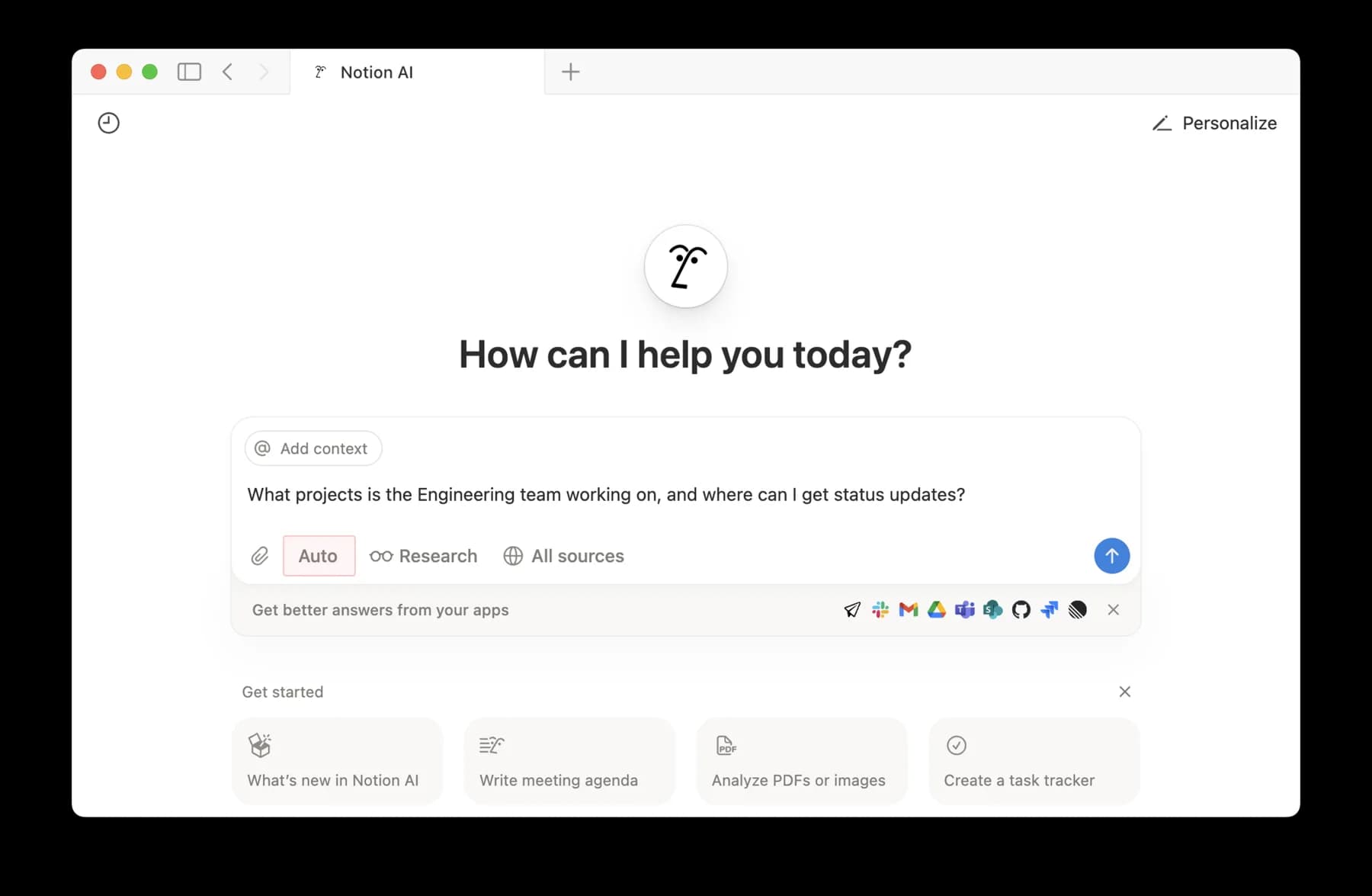
This profile is source-based research reviewed October 25, 2026. The images are vendor documentation examples. We did not connect an authenticated workspace or run a retrieval, permission, latency or reliability benchmark.
Sources & further reading
- Notion Enterprise Search documentation
- Notion AI Connectors overview and limitations
- Notion Google Drive connector limits and permissions
- Current personal live SharePoint and OneDrive connector
- Legacy SharePoint and OneDrive connector transition
- Notion pricing and plan comparison
- Notion AI security and retention practices
- Notion AI credit allowances and transition dates
- Notion AI credit feature matrix
- Notion desktop platforms and search access
- Notion mobile platforms
- Affectionate_Answer9 Slack and GitHub search report on Reddit
- sqh365 Google Drive connector reliability report on Reddit


