
Tool
NotebookLM (Gemini Notebook)
Google's source-grounded research notebook for cited document analysis, synthesis, study artifacts, and shared research collections.
TL;DR
- Google now calls NotebookLM Gemini Notebook; the product remains a notebook built around a selected collection of sources.
- Best for comparing a controlled research pack, following answers back to passages, and turning that pack into briefs, tables, audio, slides, quizzes, and other study artifacts.
- Standard access allows 100 notebooks and 50 sources per notebook. A source can contain up to 500,000 words; local uploads can be up to 200 MB.
- Drive files can update after import, while web pages, uploaded files, and YouTube transcripts need explicit freshness checks.
- Citations improve auditability. They do not prove that every relevant source was used or that the synthesis is correct.
Verdict
NotebookLM was renamed Gemini Notebook, but its clearest decision advantage is unchanged: it gives an AI a bounded evidence set and lets the reader jump from an answer to the supporting source passage. That makes it more useful for interrogating a project archive, due-diligence room, reading list, or research pack than for discovering the complete literature on a topic.
Decision snapshot
| Question | Practical answer |
|---|---|
| Best fit | Synthesis across a known, rights-cleared source collection |
| Strongest control | Select or deselect the sources used for a question |
| Citation behavior | Citation chips expose quoted material and open the passage in context |
| Free capacity | 100 notebooks; 50 sources per notebook |
| Main limits | Source freshness, uneven source use, plan quotas, and human review of feedback on consumer accounts |
| Wrong starting point | A systematic search where database coverage and reproducible screening are the hard parts |
What can go into a notebook
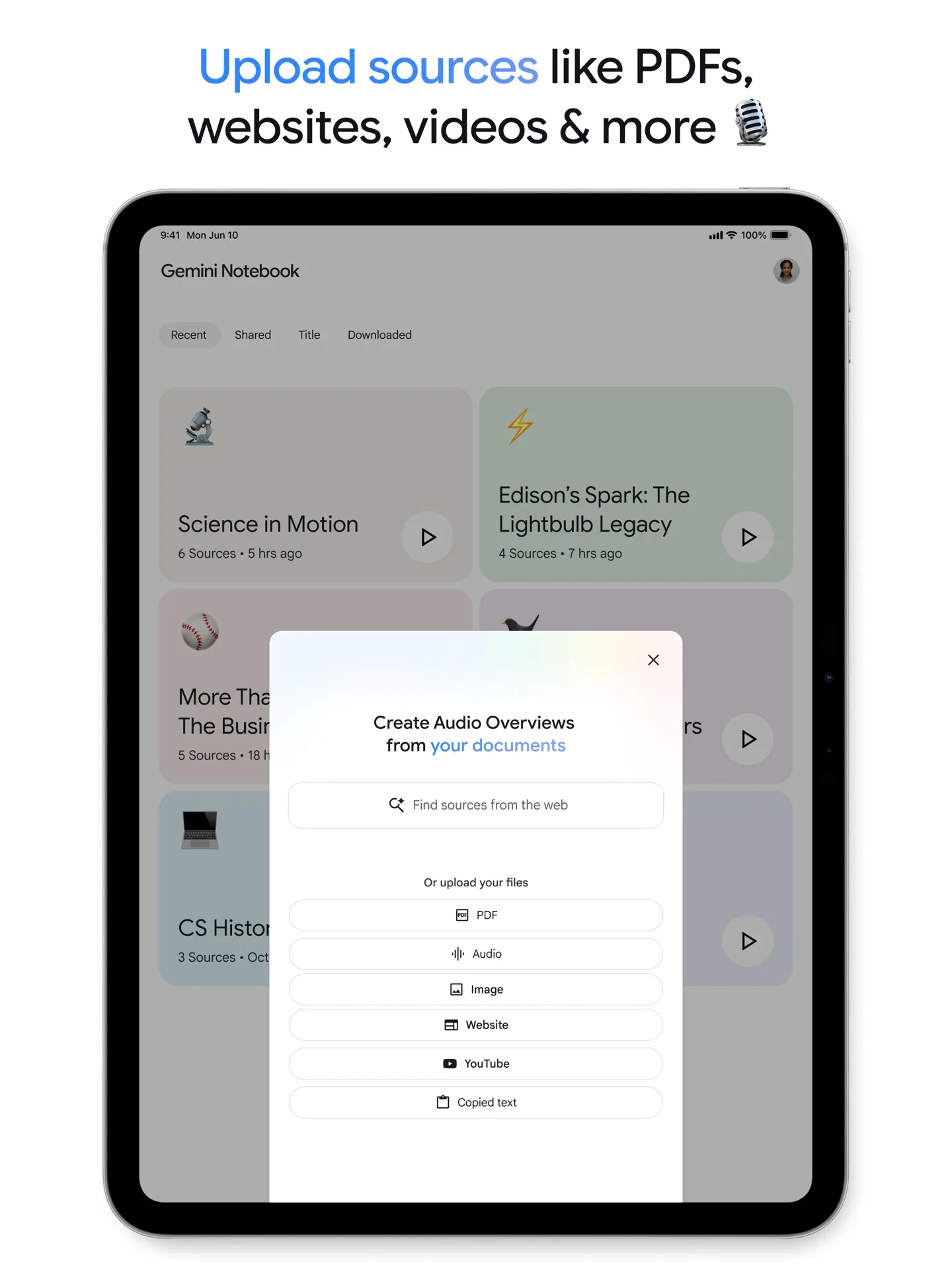
Supported inputs include PDFs, Word, PowerPoint, CSV, text, Markdown, ePub, audio, images, copied text, Google Docs, Slides and Sheets, public YouTube videos with captions, web URLs, eligible Google Play Books, notes, and Gemini chats. Google caps each source at 500,000 words and each local upload at 200 MB. Slides are limited to 100 slides; Sheets are limited to 100,000 tokens.
The import details matter more than the long format list. A web URL contributes the page's text, not its images, embedded media, nested pages, or paywalled content. A YouTube source contributes the transcript, not the video itself. Audio is transcribed on import. Google files do not bring across footnotes or comments. Those omissions can remove the qualifications, chart context, or reviewer discussion that changes a conclusion.
Drive imports are the special case for freshness. Google says supported Drive sources auto-update every few minutes and refresh when the notebook opens; a manual sync remains available. If the owner deletes the Drive file or revokes access, it becomes inaccessible in the notebook, still counts against the source cap, and stops contributing to chat and Studio output. Google does not describe ordinary web and local-file imports as continuously synchronized, so date them and re-import them when the underlying material changes.
Citations: useful, not a coverage guarantee
In the notebook chat, answers use direct quotes, text, and images from selected sources as citations. Hovering exposes quoted text; selecting a citation opens the relevant context. Very short sources may be referenced as a whole instead of receiving a passage-level citation.
That solves one verification problem: finding what the answer appears to rely on. It does not establish that the passage supports the interpretation, that the source is credible, or that the model considered every source. On September 27, 2026, Reddit user u/Away_Necessary_7050 reported splitting 80 papers across two notebooks, then seeing output repeatedly rely on roughly 10–20 of the 40 papers in one notebook. This is one attributed user report, not a benchmark, but it identifies a good acceptance test: ask the same extraction questions over small, named batches and audit which sources actually appear.
For a literature review, start with Elicit for screening and extraction, Consensus for question-led evidence discovery, or Scite for citation context. Then use Gemini Notebook to compare the documents you deliberately selected. The AI research tools guide separates those jobs.
Plans and quotas
Google's consumer plan table separates durable collection caps from AI usage. Standard, Plus, Pro, Ultra 20 TB, and Ultra 30 TB allow 100, 200, 500, 500, and 500 notebooks respectively. Their source caps are 50, 100, 300, 500, and 600 sources per notebook.
On Google's US monthly plan page, Google AI Plus starts at $9.99 per month and Google AI Pro is $19.99 per month. Both are wider Google One bundles rather than Notebook-only subscriptions. Ultra, Workspace, Education, and Cloud pricing varies by storage tier, region, account, and organization license, so check the signed-in purchase or administrator screen for those prices.
Since September 2, 2026, the consumer AI allowance is compute-based. Prompt complexity, model and feature choice, and chat length affect consumption. The allowance refreshes every five hours until a weekly ceiling is reached. Google describes Plus as 2× Standard, Pro as 4× Standard, and Ultra as either 5× or 20× Pro depending on the subscription; it does not publish a simple number of equivalent prompts. Check Settings → Usage for the account's remaining allowance and reset time rather than budgeting around an old “chats per day” figure.
Work and school accounts follow a separate entitlement table. Many qualifying Workspace editions receive Gemini Notebook as a core service, while older or narrower editions may receive it as an additional service. Higher access comes through an eligible Workspace license or add-on selected by the administrator. Google's workplace table uses Standard, More, Higher, Expanded, and Highest access bands with separate notebook, source, chat, artifact, and Deep Research caps. Do not map a consumer “Pro” badge directly onto a Workspace edition; verify the badge in the signed-in account and the organization's license.
Privacy, sharing, and deletion boundaries
For consumer accounts, Google says notebook content is not used to directly train its foundational AI models unless the user submits feedback. Feedback can include prompts, sources, uploads, and generated outputs; trained reviewers may inspect it, and reviewed feedback can be retained for up to three years after being disconnected from the Google account. For qualifying Workspace and Education accounts where Gemini Notebook is covered as a core service, Google says uploads, queries, and model responses are not human-reviewed even when feedback is submitted and are not used to train AI models. A work or school email address alone does not establish that protection; the license and service status do.
Sharing needs its own review. A private viewer can read shared sources and notes. A public notebook link requires a Google account, but a separately shared artifact link can be viewable without sign-in. “Chat View” only changes the default presentation; Google warns that it does not revoke the viewer's underlying access to sources and artifacts. Exports to Docs or Sheets do not inherit notebook permissions, and later edits to those exports do not sync back.
Deleting or restricting a public notebook disables its public link. Deleted notes cannot currently be recovered. Deleting a notebook removes the notebook and its sources, but Gemini conversations previously attached to it can return to the main Gemini chat list. Turning off Gemini Apps activity does not itself delete notebook data. Treat notebook deletion, Gemini chat retention, exported files, and public links as separate controls.
When to choose it
Choose Gemini Notebook when the source pack is already bounded and the decision depends on traceable cross-document synthesis. For market analysis, use it after collecting primary sources, date every imported page, and carry source links into the claim table described in the source-grounded market research workflow.
Choose a literature database or dedicated review tool first when recall, deduplication, screening logs, and study-quality appraisal matter. Gemini Notebook can make a research packet easier to question; it cannot certify that the packet is complete.
Related knowledge and research decisions
Related comparisons
For related research decisions, see competitor-intelligence brief workflow.
Sources & further reading
- Gemini Notebook official site
- Google announcement of the NotebookLM rename
- Google source types and import behavior
- Google consumer plan limits
- Google One US plan pricing
- Google flexible usage limits announcement
- Google compute-based usage limits
- Google work and school account limits
- Google citation and chat behavior
- Google privacy and terms
- Google sharing guidance
- Google private sharing and export behavior
- Google notebook and Gemini chat deletion behavior
- Google Notebook FAQ
- Gemini Notebook official App Store listing
- Reddit literature-review report by u/Away_Necessary_7050



Appears in