
Tool
Read AI
AI meeting reports, playback, search, coaching signals, and cross-channel context for meetings, email, and messages.
TL;DR
- Best for teams that want reports and behavioral signals around meetings.
- Extends its search layer across meetings, email, and messages.
- Available across desktop, mobile, browser, and major meeting platforms.
- Free plan includes 5 meeting transcripts per month.
- More analytics means more governance and more metrics to interpret carefully.
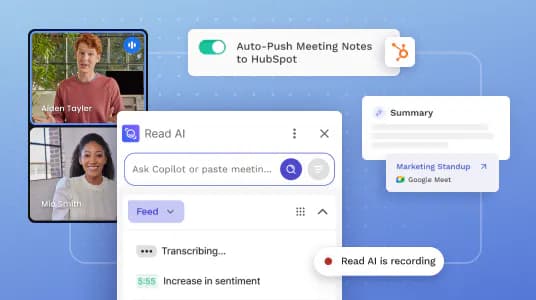
Read AI is a meeting-intelligence product, not a plain recorder. It turns conversations into reports, searchable playback, summaries, and signals about participation and engagement, then connects that context to a broader assistant layer.
Decision snapshot
| Question | Answer |
|---|---|
| Core output | Meeting reports, transcript, playback, search, and analytics |
| Free allowance | 5 meeting transcripts per month |
| Starting paid price | $19.75 monthly; $15 per user per month billed annually |
| Best fit | Teams reviewing meeting patterns across people and time |
| Main trade-off | Metrics can create false precision |
What Read AI does well
A transcript answers “what was said.” Read aims at harder operational questions: where attention dropped, what themes recur, which action items appeared, and how meeting context connects with messages and email. That is useful for managers, customer-facing teams, and people trying to search across a fragmented workday.
Its platform coverage is broad. The official site lists apps for macOS, Windows, iPhone, and Android, plus an extension and integrations with Google Meet, Microsoft Teams, and Zoom.
Where it falls short
Meeting scores are interpretations, not objective measurements of human performance. A quiet participant may be thinking, a fast speaker may not be clear, and high engagement does not mean a good decision was made. Do not turn an AI-generated score into a performance system without validation and context.
The free plan permits five transcripts a month. That is enough to test report quality, but too small for a meeting-heavy routine.
What users report
Some of the most honest feedback is category-wide sarcasm. Andrew Cohen joked about adding eleven different assistants, including Read AI, to every meeting before concluding: “None of it works and all of it is wrong.”
The post is deliberate exaggeration, but the criticism lands. More summaries and integrations do not automatically create a reliable workflow. Test whether Read reduces one specific recurring task, such as finding a decision or preparing a manager recap.
Bottom line
Choose Read AI when reports, meeting analytics, and cross-channel search matter. Choose Otter for straightforward live text, or a bot-free notepad when recording discretion is the priority.
Sources & further reading


Appears in